Loom Videos Make a Terrible Bug Tracker
Screen recordings are a brilliant way to explain something once. They are a dreadful way to track twenty-three things that each need doing, checking and closing.
Why everyone reaches for video first
It's worth being fair about this, because video became standard for good reasons.
For the client it's the path of least resistance. Talking through a page takes a fraction of the effort of writing twenty-three numbered items, and they can point at things with a cursor instead of describing them. Tone comes across. Nuance survives. "I'm not sure about this bit, what do you think?" is natural in speech and awkward in a ticket.
And it genuinely beats the alternative it replaced. A 14-minute video is better than an email saying "the spacing feels off in places."
What breaks when video is the queue
Five structural problems, none of which are fixable by using a different recording tool.
1. No per-item state
The single biggest issue. A video is one object; the feedback inside it is twenty-three items. You can't mark item four done, reopen item nine, or ask "what's still open?" You end up maintaining a parallel list, which means the feedback lives in two places and they drift.
2. Not searchable
Three weeks later: "didn't we discuss the mobile filter behaviour?" It's in a video somewhere, at a timestamp nobody wrote down. In practice that history is gone.
3. Ambiguous location
The client says "this heading here" while their cursor moves. Which heading, on which template, at what viewport? You're inferring from a moving cursor and a partial URL bar, and sometimes you infer wrong and fix the wrong element.
4. No viewport or environment context
Recorded on a 27-inch display, so every judgement is desktop-only. The video doesn't record window size, browser, or which build was live. Layout feedback without a viewport is barely actionable.
5. Serial, not parallel
One video, one watcher at a time. Designer, developer and PM each watch fourteen minutes to extract their own items. Three people, forty-two minutes, for one round of feedback.
- No status per issue — needs a parallel list
- Not searchable three weeks later
- Location inferred from a moving cursor
- No viewport, browser or build recorded
- Every team member watches it separately
- Great at tone and nuance
- Each has open / resolved status
- Searchable and filterable by page
- Anchored to the actual element
- Viewport and browser captured automatically
- Team picks up items in parallel
- Threaded replies keep the nuance
The cost you’re absorbing quietly
This is a margin problem more than a workflow problem, and it hides because no single instance feels expensive.
Say forty minutes of translation per round, three rounds per project, and the same again for a designer picking out their items. That's around four hours per project doing nothing but converting speech into a list. On a fixed-price build that's straight off your margin, and it's invisible because nobody logs "watched a video and typed it up."
| Hidden cost | Where it shows up |
|---|---|
| Transcription time | Unlogged hours, straight off margin |
| Items missed in a long video | Client sees them again next round — reads as carelessness |
| Fixing the wrong element | Rework, plus a confusing conversation |
| Desktop-only feedback | Mobile issues arrive after launch |
| No record of what was agreed | Scope disputes you can't settle |
| Repeated feedback on resolved items | Rounds that don't converge |
What works instead
The goal is to keep what video does well — context, ease for the client — while getting per-item state.
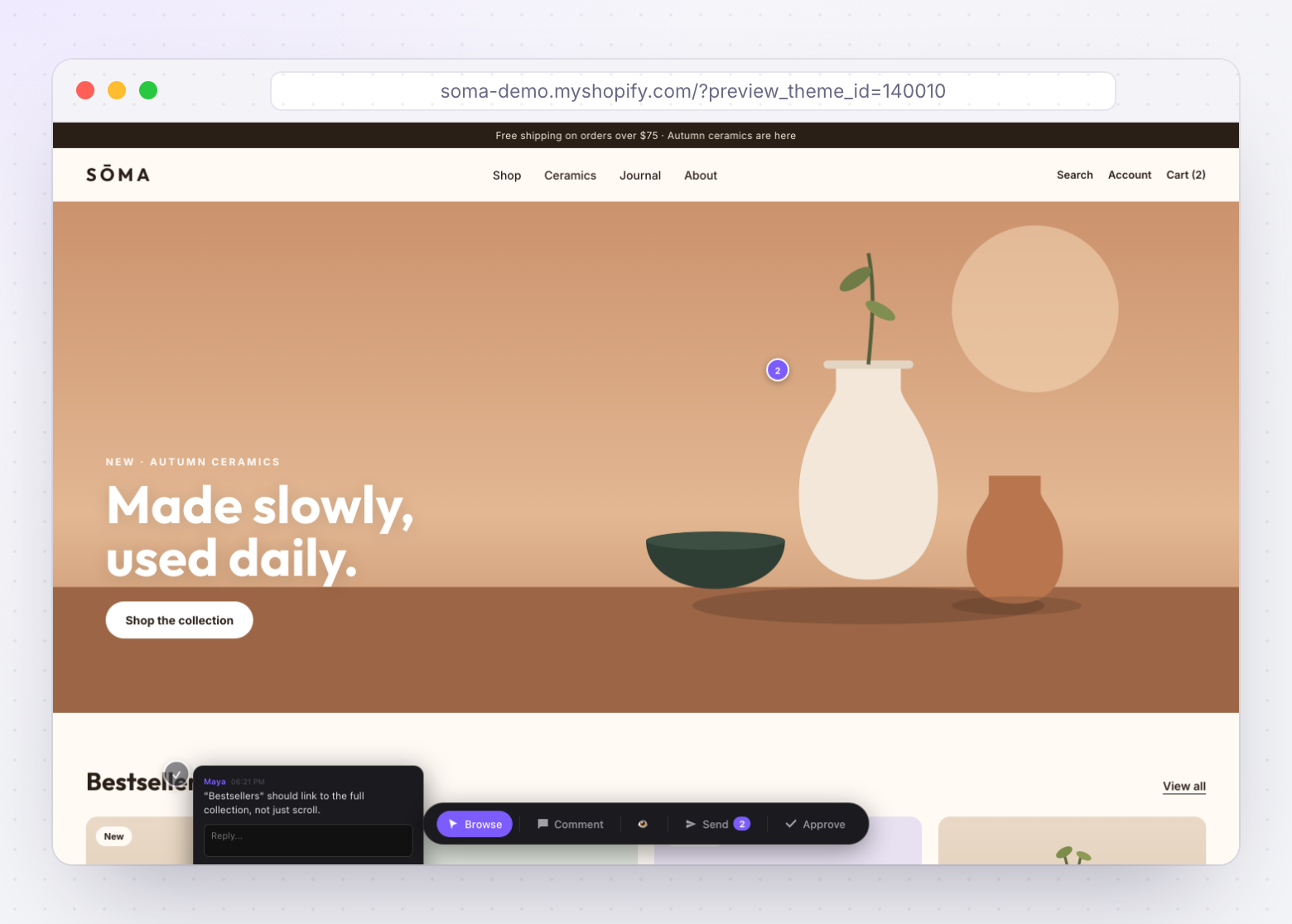
Comments pinned directly to the element on the live page. The client clicks the thing and types a sentence. Context comes from the pin location rather than narration. Each comment is a discrete item with its own status.
What a pinned comment carries that a video doesn’t
- The element, anchored so it survives page changes.
- The page, unambiguously.
- The viewport, captured automatically — so "this is broken" arrives as "this is broken at 390px."
- Browser and device, also automatic, which pre-empts a whole class of reproduction question.
- A status, open or resolved.
- A thread, so a clarifying question lives with the item instead of in a separate email.
Keeping the client’s side easy
Video wins on effort, and any replacement has to compete on that. Clicking an element and typing one line is genuinely less work than recording and narrating — provided there's no login, no app to install, and no training. If the client has to create an account, they'll send a video instead, and they'll be right to.
Moving a client off video without friction
Don't announce a process change. Make the new way the easiest available option and it happens on its own.
- Send the review link, not a request for feedback. "Here's the review page — click anything you want changed and leave a note" describes the mechanism in one sentence.
- Explain the benefit to them, not to you. "You'll be able to see which items we've fixed, so you're not re-checking everything each round."
- Accept the first video gracefully. Process it, then reply with the items as pinned comments. They see the format and usually adopt it.
- Resolve visibly. Once a client watches items get marked resolved, they stop asking for status updates — which is the moment they're sold.
- Ask for mobile explicitly. "When you have a minute, check the same pages on your phone." Otherwise you'll get desktop-only feedback regardless of tooling.
How ThemeSync handles feedback
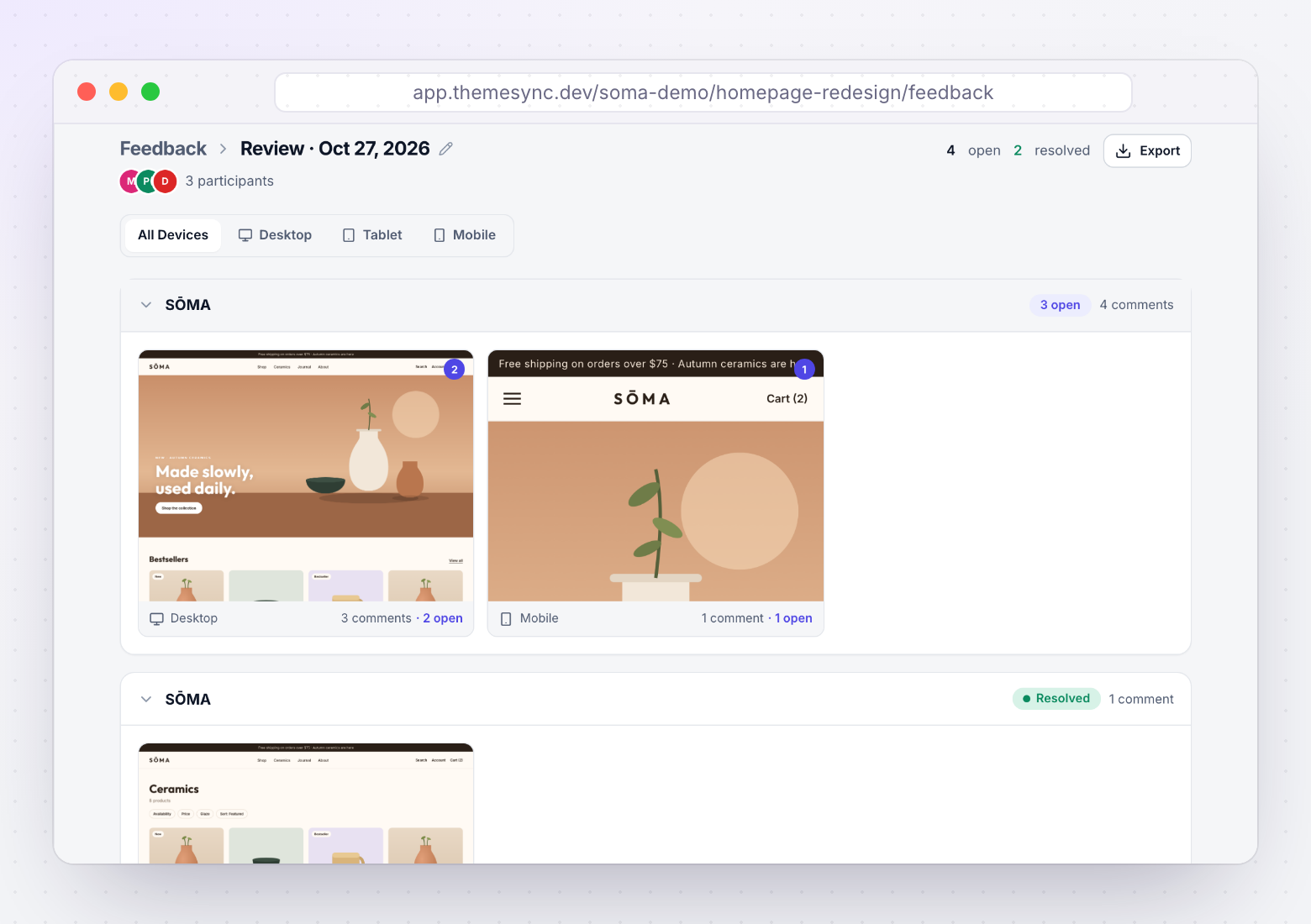
- Clients pin comments on the live preview. They click the element on the real page and type. No account, no install — a link is enough.
- Comments are anchored to the element, not to coordinates. Position is stored against the nearest element with proportional fallbacks, so a pin stays on the right thing after the page changes.
- Viewport, browser and device are captured automatically. "This is broken" arrives with the context you'd otherwise have to ask for.
- Every comment has a status and a thread. Open or resolved, with replies attached, so a round can actually converge.
- Feedback sits with the theme. Comments, screenshots and sign-off live against the theme they belong to rather than in three separate tools.
- Sessions are time-boxed by a token. A review round has a start and an end, which does more for scope discipline than any policy document.
- It exports. Comments and decisions come out as structured data for reports or contract discussions.
Takeaways
- Video is good at explaining one thing and bad at tracking many. That's a property of the medium.
- The core failure is no per-item state — you can't resolve, filter or count what's open.
- Translation costs roughly four hours per project, unlogged, straight off margin.
- Without per-item state, rounds don't converge — which is where revision overrun actually comes from.
- Pinned comments keep video's context and add status, location, viewport and threading.
- Any replacement must be easier than recording, or clients will keep recording. No login, no install.
- Keep video for genuine nuance: one recording attached to one issue.
- Ask for mobile feedback explicitly. Nobody volunteers it.
Feedback you don’t have to transcribe
Clients pin comments straight onto the live preview — anchored to the element, tagged with viewport and browser, each with its own status. No account needed.
Try ThemeSync Free →