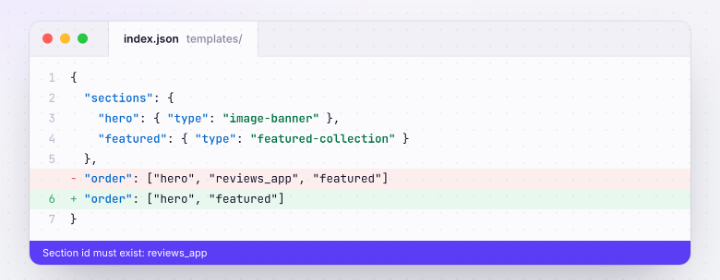
"Section id must exist" and Other Shopify Dev Theme Preview Errors
A theme that works on the live store throws errors or 404s on a development theme. Three causes account for most of it, and all three are visible in the template JSON before you push.
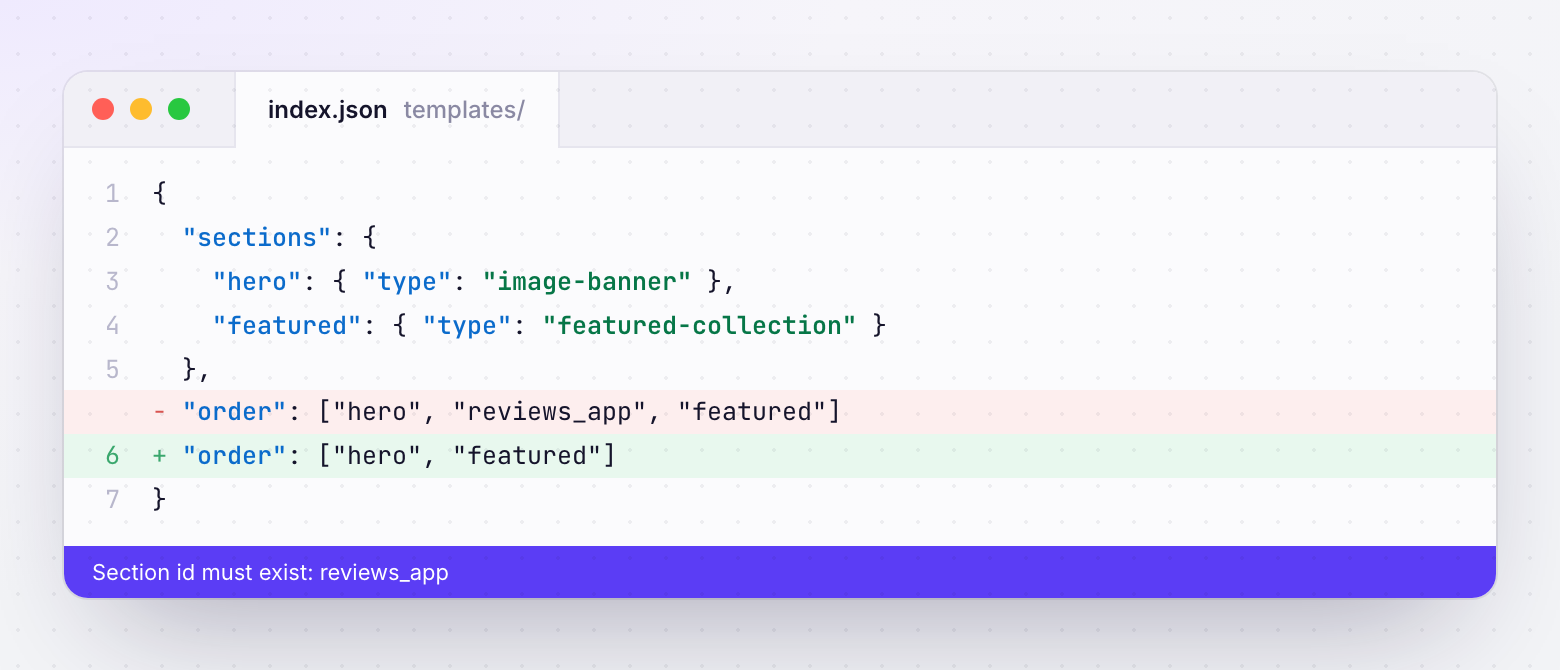
order with no section behind it.Why it works live and fails in preview
A Shopify theme is code plus JSON that references things outside the theme: installed apps, metafield definitions, specific collections and files. The live store has all of them. A development theme pushed to a different store, or a theme moved between client stores, often doesn't.
Development themes also behave differently with apps. Some app extensions aren't available until an app is set up for that theme, and app embeds configured in settings_data.json may point at an app that isn't installed where you're previewing.
We built detection for these three cases into ThemeSync because they made up most of the "the preview is broken" messages we saw. The rules below are the same ones it runs.
Cause 1: app blocks and embeds
"blocks": {
  "reviews_8kT2": {
    "type": "shopify://apps/judge-me-reviews/blocks/preview_badge/61ccd3b1-a9f2-4160-9fe9-4fec8413e5d8",
    "settings": {}
  }
}
How to find them: search every file in templates/ and config/settings_data.json for shopify://apps/. The segment after apps/ is the app's handle.
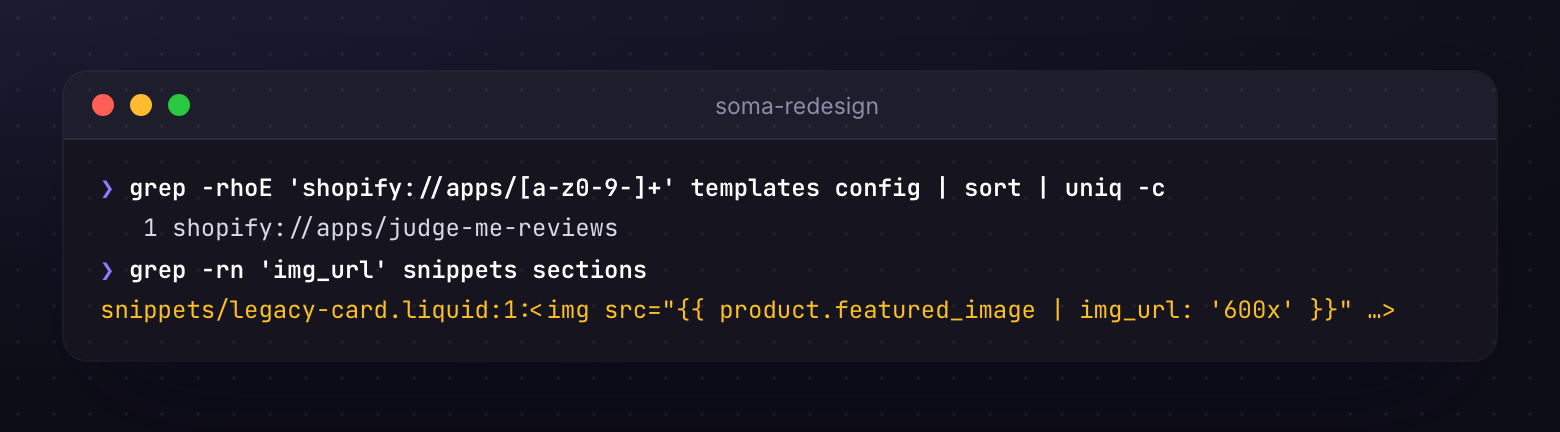
grep -rhoE 'shopify://apps/[a-z0-9-]+' templates config | sort | uniq -cThe fix: install the app on the preview store, or temporarily remove the blocks for preview. If you remove them, keep a backup of the original templates and restore them before anything goes live. Our article on app blocks as a QA blind spot covers testing them once they're back.
Cause 2: "Section id must exist"
- sections: { "main": {...}, "faq": {...} }
- order: ["main", "reviews_app", "faq"]
- "reviews_app" was removed from sections but not from order
- Result: the template fails with "Section id must exist"
- sections: { "main": {...}, "faq": {...} }
- order: ["main", "faq"]
- Every id in order exists in sections
- Apply the same check to block_order inside each section
This usually follows cause 1: an app section was stripped from sections but its id stayed in order. The same applies to block_order inside a section. It also happens when someone hand-edits JSON or copies a template between themes.
The fix: for each template, remove any id from order that isn't a key in sections, and any id in a section's block_order that isn't a key in its blocks.
const fs = require('fs');
for (const f of fs.readdirSync('templates').filter(f => f.endsWith('.json'))) {
  const raw = fs.readFileSync('templates/' + f, 'utf8').replace(/^\s*\/\*[\s\S]*?\*\//, '');
  const t = JSON.parse(raw);
  const missing = (t.order || []).filter(id => !(id in (t.sections || {})));
  if (missing.length) console.log(f, 'order references missing:', missing);
}
Shopify adds an auto-generated comment to the top of some JSON files, which is why the snippet strips a leading block comment before parsing.
Cause 3: "Dynamic source does not exist"
"settings": {
  "text": "{{ product.metafields.custom.care_instructions | metafield_tag }}"
}
Metafield definitions belong to the store, not the theme. Push this template to a store without a custom.care_instructions product definition and the setting has nothing to resolve. Depending on where it's used, you get an editor error, an empty block, or a failed page.
How to find them: search templates, sections, snippets and layout for (product|collection|page|blog|article).metafields. and list each namespace and key.
The fix: create the same definitions on the preview store (same namespace, key and type), or clear those dynamic sources for preview and restore them afterwards. Full detail is in why sections render empty.
How ThemeSync handles all three
Under QA & Screenshots → Compatibility, ThemeSync scans a theme for app blocks and embeds (shopify://apps/ in templates and settings_data.json) and for metafield dynamic sources, and lists what it finds by app and file. The overview's Theme health card shows the count.
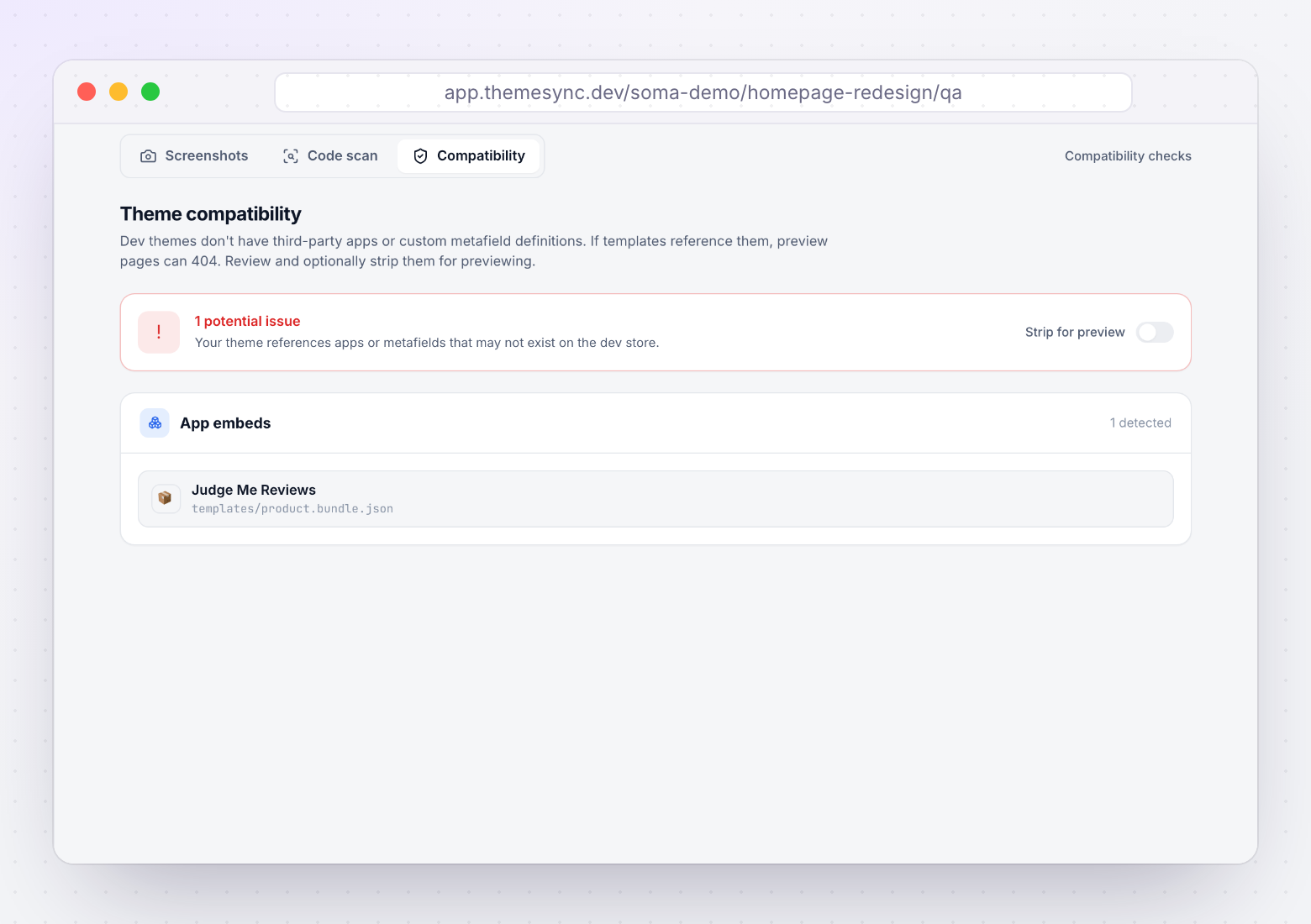
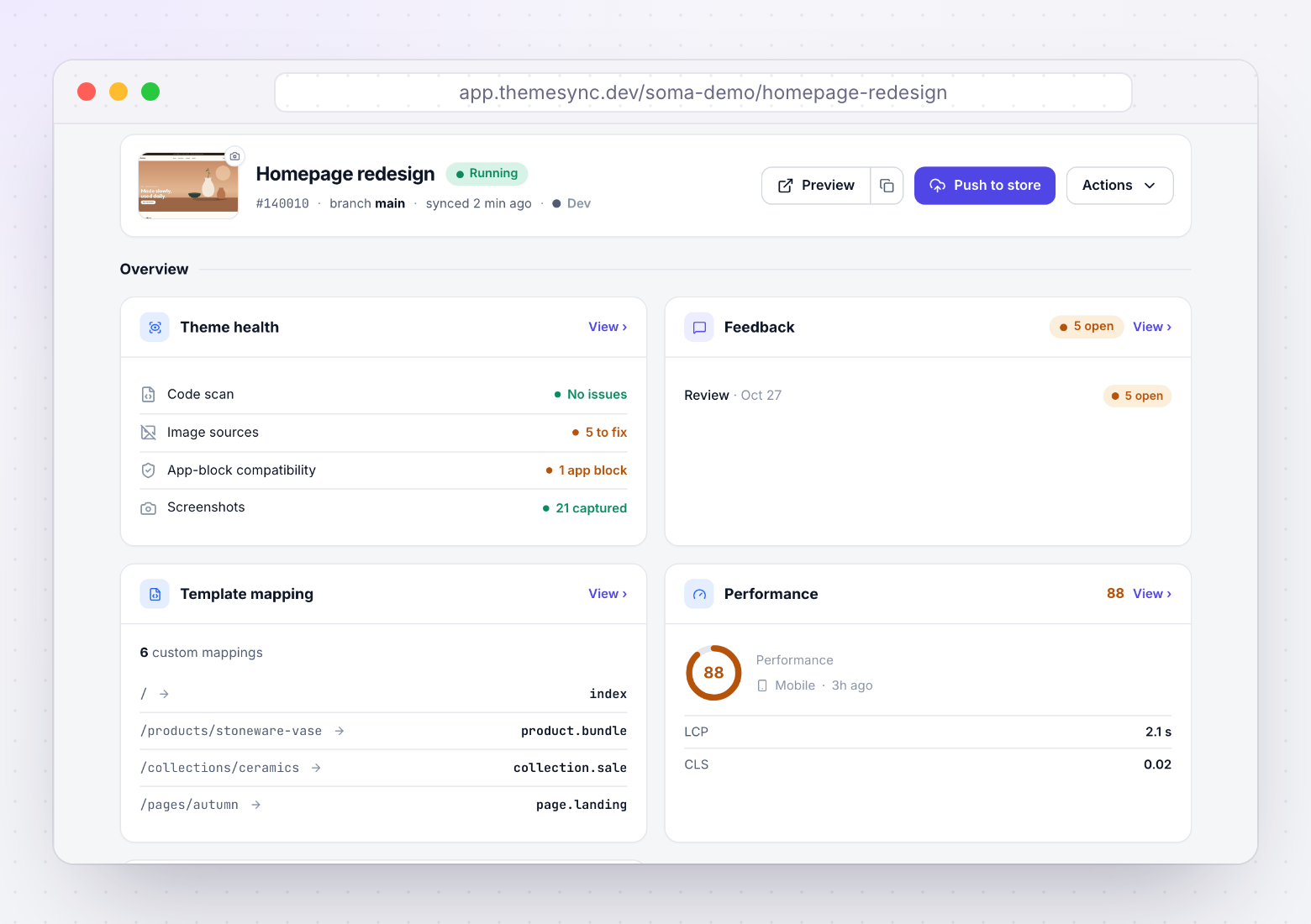
Strip for preview then removes app blocks from JSON templates, cleans up order and block_order so no orphaned ids are left, clears metafield dynamic sources, and backs up the originals to .app-blocks-backup (which is added to .shopifyignore). Turning it off restores the templates. One limit to know: app embeds in settings_data.json are detected and listed but not stripped.
Takeaways
- Most dev theme preview errors come from references outside the theme: apps, metafield definitions and leftover section ids.
- Search for
shopify://apps/to list every app a theme depends on. - "Section id must exist" means
orderorblock_orderlists an id that isn't defined. - "Dynamic source does not exist" means a metafield definition is missing on that store.
- If you strip anything for preview, back it up and restore it before go-live.
Find preview-breaking references before the client does
ThemeSync lists app blocks and metafield sources per template, strips them for preview with a backup, and restores them in one click.
Try ThemeSync Free →