How to Find Every Page a Shopify Template Actually Touches
You QA’d the product page. There are four product templates and six hundred products, and one of those templates is on a single SKU that happens to be the bestseller.
Why template coverage is usually wrong
Shopify QA tends to be organised around page types: check the homepage, a product page, a collection page, the cart. That's the right instinct and it produces a coverage gap, because a store doesn't have "a product page." It has however many product templates someone has created over the years.
Alternate templates are invisible from the storefront. Nothing on a product URL indicates it renders product.bundle rather than product. The assignment lives on the product record, so the only way to know is to look product by product — which nobody does for six hundred products.
So templates go untested. And there's a nasty asymmetry: alternate templates are usually assigned to the commercially unusual products — bundles, pre-orders, gift cards, subscription items. Low record counts, disproportionate revenue.
Step one: enumerate the templates
Start from the theme, which is the one place the full list definitely exists:
ls templates/

# index.json
# product.json
# product.bundle.json
# product.preorder.json
# collection.json
# collection.sale.json
# page.json
# page.contact.json
# page.lookbook.json
# ...
Anything with a suffix — product.bundle, collection.sale, page.lookbook — is an alternate template that renders only where it's been assigned or forced with ?view=.
That's your denominator. If your QA pass covered fewer URLs than there are templates here, you have gaps, and now you know how many.
Step two: find a real URL for each
Knowing product.bundle exists doesn't tell you where to look at it. You need a representative live URL per template, and there are three ways to get them.
- Admin APImost reliable
List products, collections and pages with their template suffix. Exact and fast.
- Sitemap crawlfallback
Enumerate live URLs when API access is limited. Good coverage, no assignment data.
- Ask the merchantcontext
"Which products are bundles?" They know their catalogue better than any query.
The API route
Products carry their template assignment, so you can list everything and group by template:
GET /admin/api/2024-10/products.json?limit=250&fields=id,title,handle,template_suffix

# Group by template_suffix:
#   ""         -> product.json          (540 products)
#   "bundle"   -> product.bundle.json   (38 products)
#   "preorder" -> product.preorder.json (15 products)
An empty template_suffix means the default template. Pages and collections work the same way, so a handful of requests gives you complete assignment data for the store.
The sitemap route
When you only have theme access, /sitemap.xml enumerates every indexable URL. It won't tell you which template each uses, but it does tell you the store has 600 products, 40 collections and 12 pages — which is enough to know whether the six URLs you tested were representative.
Ask the merchant
Undervalued and often fastest. "Which products use a different layout?" gets you the answer in one message, plus context no query provides — which ones matter commercially, which are seasonal, which are about to be retired.
Step three: prioritise by revenue, not by count
Full coverage isn't always the goal. Deliberate coverage is. Once you know templates and assignments, rank by what a defect would cost.
| Priority | Templates | Why |
|---|---|---|
| Always | Home, default product, default collection, cart | Highest traffic, and the cart is where a bug costs money directly |
| Always | Any template on a top-ten product | Low record count, high revenue — the asymmetry that catches people |
| Usually | Search, 404, account, password | Frequently skipped, and visibly broken when they are |
| Usually | Alternate collection templates | Often used for campaigns with paid traffic pointed at them |
| Scope it | Long-tail page templates | Legitimate to defer — but say so, don't just skip it |
| Confirm first | Templates with zero assignments | Dead template, or one that's about to be used? |
Step four: record it once, reuse it forever
The expensive part of all this is discovery, and most teams throw it away. Next sprint, someone works out which product is a bundle all over again.
Written down, the mapping becomes reusable infrastructure:
- Every QA pass starts from a complete list. No rediscovery, no accidental gaps.
- Screenshot runs cover the store. Automated capture is only as good as the URL list you hand it.
- Client reviews are scoped. The same list becomes what the client is asked to look at.
- New templates are visible. If the theme has a template your mapping doesn't, someone added one — worth knowing.
How ThemeSync handles this
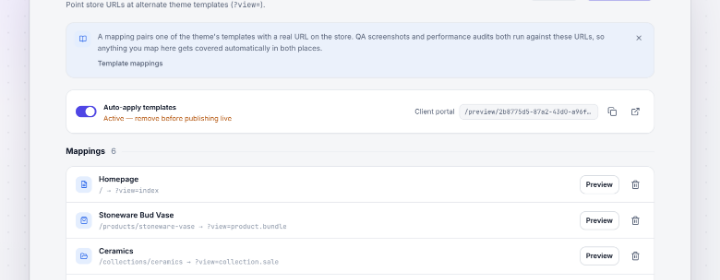
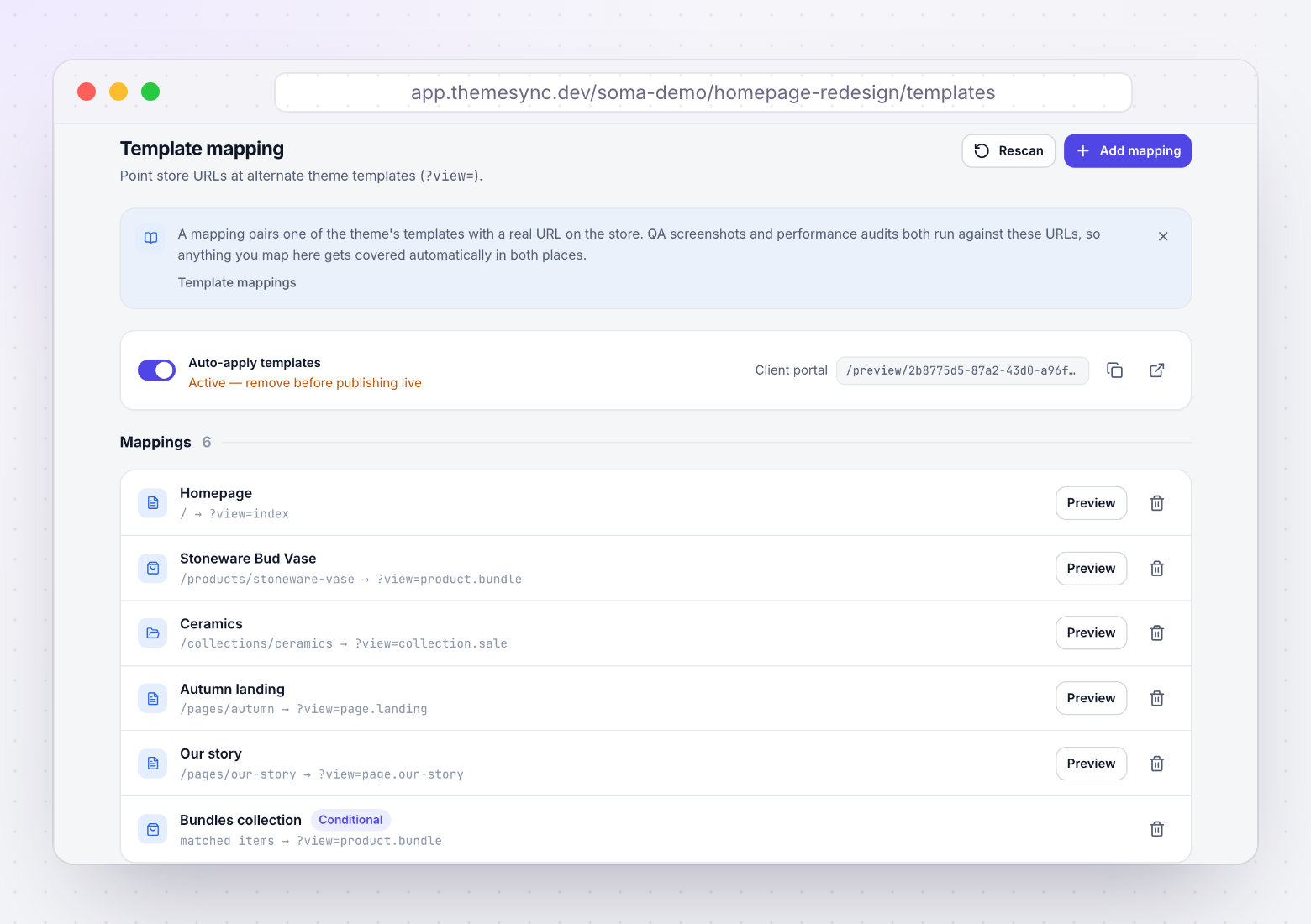
- Template mapping is the core of it. Each template in the theme is paired with the real store URL it should be previewed on, so the mapping is recorded once and reused.
- Real records come from read-only Admin API access. Products, collections, pages, blogs and articles are listed from the store, so you pick an actual bundle product rather than guessing a handle.
- A sitemap fallback covers limited access. When API scopes aren't available, URLs can be discovered from the store's sitemap instead, and those entries are marked so you know how they were found.
- Custom URLs handle the edge cases. Templates that don't map cleanly to a catalogue record can be pointed at any URL you specify.
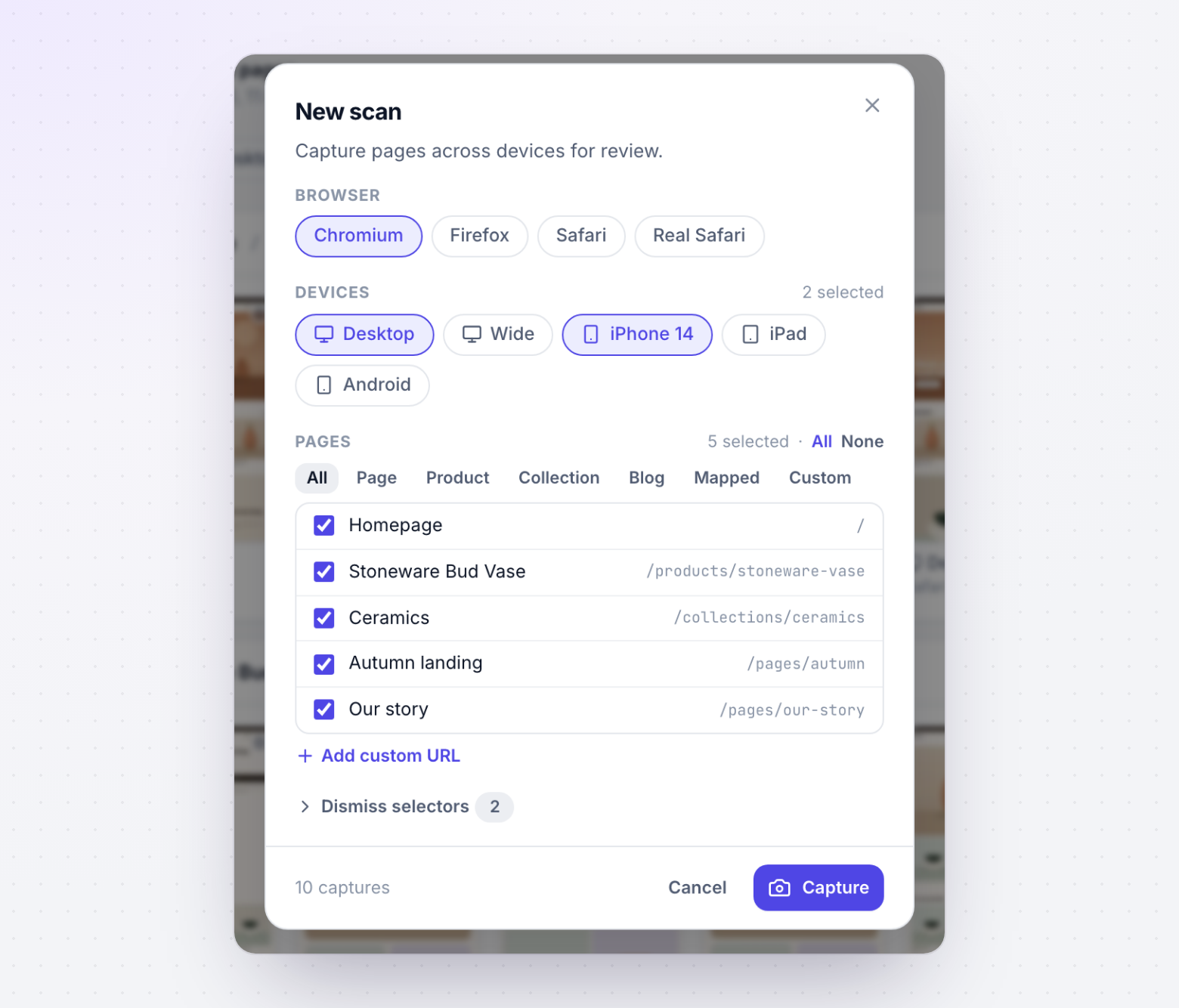
- Screenshot runs use the mapping directly. One capture covers every mapped template across desktop, tablet and phone, so coverage matches the list rather than whatever someone remembered.
- The client review portal uses the same list. What you QA and what the client is asked to approve are the same set of pages.
Takeaways
- A store doesn't have "a product page" — it has as many product templates as someone has created.
- Template assignment lives on the record, not the URL, so alternates are invisible from the storefront.
- Alternate templates cluster on commercially unusual products: bundles, pre-orders, gift cards. Low counts, high revenue.
ls templates/gives you the denominator in five seconds. Do it before quoting.- Get assignments from the Admin API, fall back to the sitemap, and ask the merchant — they know which products matter.
- Prioritise by revenue, not record count, and make your coverage list a stated deliverable.
- Record the mapping once. Rediscovering it every sprint is where the time actually goes.
Know every page your theme renders
ThemeSync maps each template to a real store URL using read-only catalogue access, with a sitemap fallback — then captures the whole set across devices in one run.
Try ThemeSync Free →