Sign-Off That Sticks: Approvals per Page, per Viewport, per Role
"Looks good to me" is not sign-off. It is one person, on one device, on an unknown day, about an unknown set of pages — and it will not survive a dispute.
Why vague approval collapses
Most theme projects are approved by email. Someone replies "looks great, ship it" and that's treated as sign-off.
It works right up until it doesn't. Two weeks after launch: "the product page was never like this on mobile." Now reconstruct, from an inbox, what a specific person saw on a specific device on a specific day. You can't. And in the absence of a record, the client's memory becomes the record.
Look at what a general approval leaves undefined:
| Question | What "looks good" tells you |
|---|---|
| Which pages? | Unknown — possibly only the homepage |
| Which viewport? | Whatever device they had open |
| Which version? | Unknown — you've pushed since |
| Approving what — design, function, content? | Unstated |
| Do they have authority? | Often not |
| Did anyone check mobile? | Statistically, no |
The three axes an approval needs
A useful approval is specific along three dimensions at once. Drop any one and it stops being able to resolve a dispute.
Page
Not "the site" — this template, on this URL. Twelve templates means twelve approvals, and a client who has only looked at four is visible instead of assumed.
Viewport
Desktop approval says nothing about mobile, which is where most of the traffic is and where most layout problems live. Clients review on laptops almost exclusively, so mobile is the gap by default.
Role
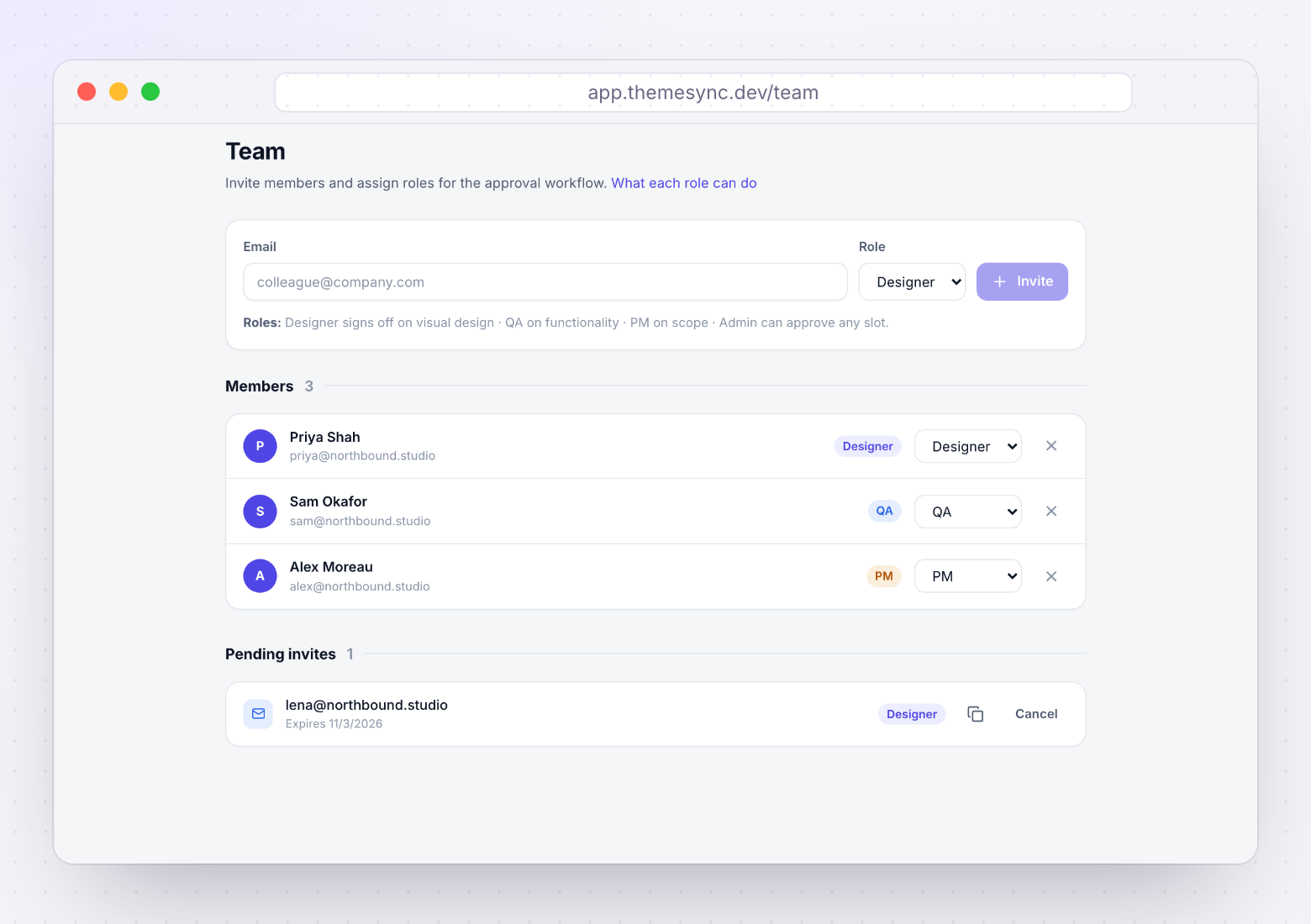
Different people are competent to approve different things, and merging them means nobody actually approved anything:
- Design — visual fidelity, spacing, typography, brand.
- QA — functional behaviour, cross-browser rendering, responsive integrity.
- Client — content accuracy, commercial fit, "is this our business."
A client saying "looks good" was never qualified to approve cross-browser rendering. Asking them to is how a Safari bug ends up being their fault on paper and your problem in practice.
Approvals expire when the page changes
This is the part almost every process misses, and it's what makes sign-off honest.
An approval refers to a specific state of a page. Once you rebuild that page, the approval no longer describes anything that exists. Carrying it forward means your records claim something was reviewed that nobody has seen.
- Capturethe artifact
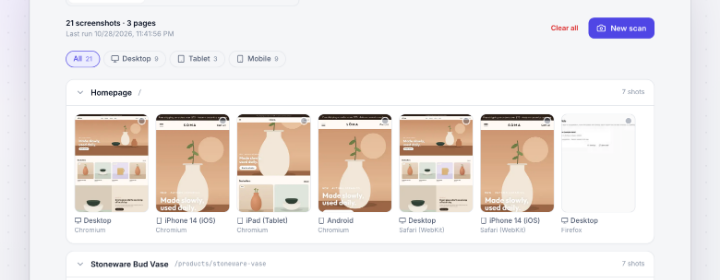
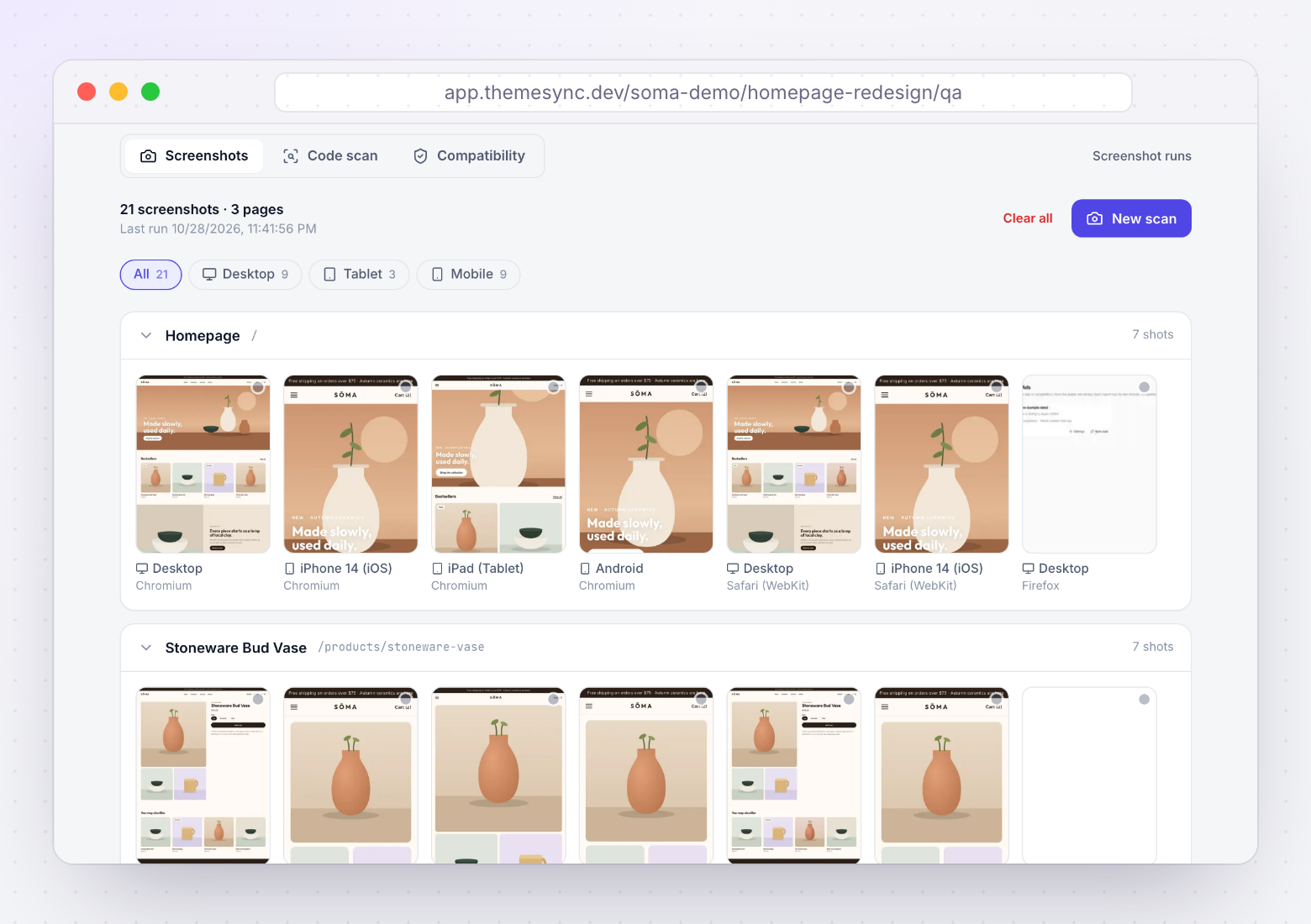
Screenshot each page at each viewport. This is the artifact being approved.
- Requestper role
Ask the right role to approve specific pages, not "the site".
- Recordauditable
Who, which page, which viewport, which capture, what date.
- Re-scan revokeshonest
Page rebuilt? That approval is void and gets re-requested.
Automatic revocation feels inconvenient and is the mechanism that makes the whole thing trustworthy. Without it, "approved" degrades into "was approved at some point, about something, possibly not this."
Running it without adding a week
The objection is always overhead. Handled properly it's mostly automatic, and the one manual part replaces work you were already doing badly.
- Capture is automated. One run produces every page at every viewport. The artifact exists whether or not anyone approves it.
- Approval is a click per page. Not a form, not a document. A reviewer works down a list.
- Scope the review explicitly. "These eight pages, on desktop and mobile" tells the client the job is finite.
- Assign roles once at kickoff. Who signs off design, QA and content. Two minutes, and it prevents the "I assumed you checked that" conversation.
- Chase by exception. A matrix makes it obvious that six of eight pages are approved on desktop and none on mobile. Chase the gaps only.
| Instead of | Do this |
|---|---|
| "Can you review the site?" | "Please approve these eight pages on desktop and mobile" |
| Approval by email thread | Approval recorded per page and viewport |
| One person approves everything | Design, QA and client each approve their own domain |
| Approval carried forward silently | Approval revoked when the page is rebuilt |
| "We tested it thoroughly" | A matrix showing exactly what was covered |
If you want the reviewer to give better feedback in the first place, it's worth being deliberate about how you frame the session — the piece on presenting a theme to a non-technical client covers that.
What this looks like in a dispute
The value isn't procedural tidiness. It's what happens when a client says the work isn't what they agreed to — usually while an invoice is outstanding.
Without a record: your recollection against theirs. You rebuild the page for free because you can't prove otherwise, and the relationship carries a grudge on both sides.
With a record: "The product page was approved on desktop and mobile on 14 September by their marketing director, against these captures. Here they are. The change you're describing was requested on the 22nd, which is a new revision round." Nobody has to be accused of anything — the facts do the work.
It also helps with scope creep before it becomes a dispute: when a request arrives for a page that's already approved, that's a visible boundary rather than a judgement call about whether to push back.
How ThemeSync records sign-off
- Approvals are stored per page, per viewport, per role. The three axes are the actual data model, not a convention you have to maintain by hand.
- Re-scanning revokes affected approvals automatically. Capture a page again and prior sign-off for that page and viewport is invalidated, so "approved" always refers to a state that exists.
- Rejections are recorded with a reason. A decision is approve or reject with context, not silence you have to interpret.
- Roles map to what people can actually judge. Design, QA and project roles approve their own domain, and clients approve through the review portal without needing an account.
- Approval sits next to the evidence. The screenshots, the pinned comments and the sign-off live against the same theme, so the record is one thing rather than three systems.
- Feedback can be exported. Comments and decisions come out as structured data when you need them in a report or a contract discussion.
Takeaways
- "Looks good to me" doesn't identify pages, viewports, versions, scope or authority. It can't close a phase.
- Approvals need three axes: page, viewport, role.
- Clients review on laptops. Mobile is the default gap, and it's where the traffic is.
- Don't ask clients to approve cross-browser rendering — they can't assess it and it becomes your problem anyway.
- Revoke approval when a page is rebuilt. A stale approval is a liability, not coverage.
- Automate the capture, make approval one click per page, and chase only the gaps.
- Scope the review as a finite list. Clients prefer twelve specific asks to one vague one.
Sign-off you can point at
ThemeSync records approvals per page, per viewport and per role against the exact captures they refer to — and revokes them automatically when a page changes.
Try ThemeSync Free →