The Shopify Theme Handoff Checklist
Handoff is the highest-risk moment of a theme project and usually the least structured. Eight gates, each catching something the previous one structurally cannot.
Why gates, and why in this order
Most handoff checklists are one long list, which means they get worked through in whatever order someone feels like and the expensive items end up last.
Gates are ordered by cost of discovery. A Liquid error found by a linter costs seconds. The same error found by a customer costs a page and a phone call. So cheap automated checks go first, and anything requiring a human comes after — by which point the obvious problems are gone and their attention isn't wasted.
Gates 1 & 2: code and visual
Gate 1 — Code correctness
- Theme Check clean of errors. Warnings judged deliberately on inherited themes; errors are non-negotiable.
- No debug code.
console.log, commented-out sections,TODOmarkers, test IDs. - No hard-coded store data. Test product handles, staging URLs, personal email addresses in forms.
- Vendor prefixes present.
backdrop-filter,clip-path,position: sticky,appearance. - Everything committed and pushed. Nothing that matters exists only on someone's laptop.
Gate 2 — Visual QA
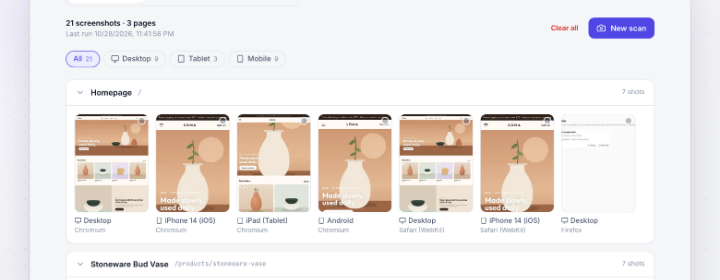
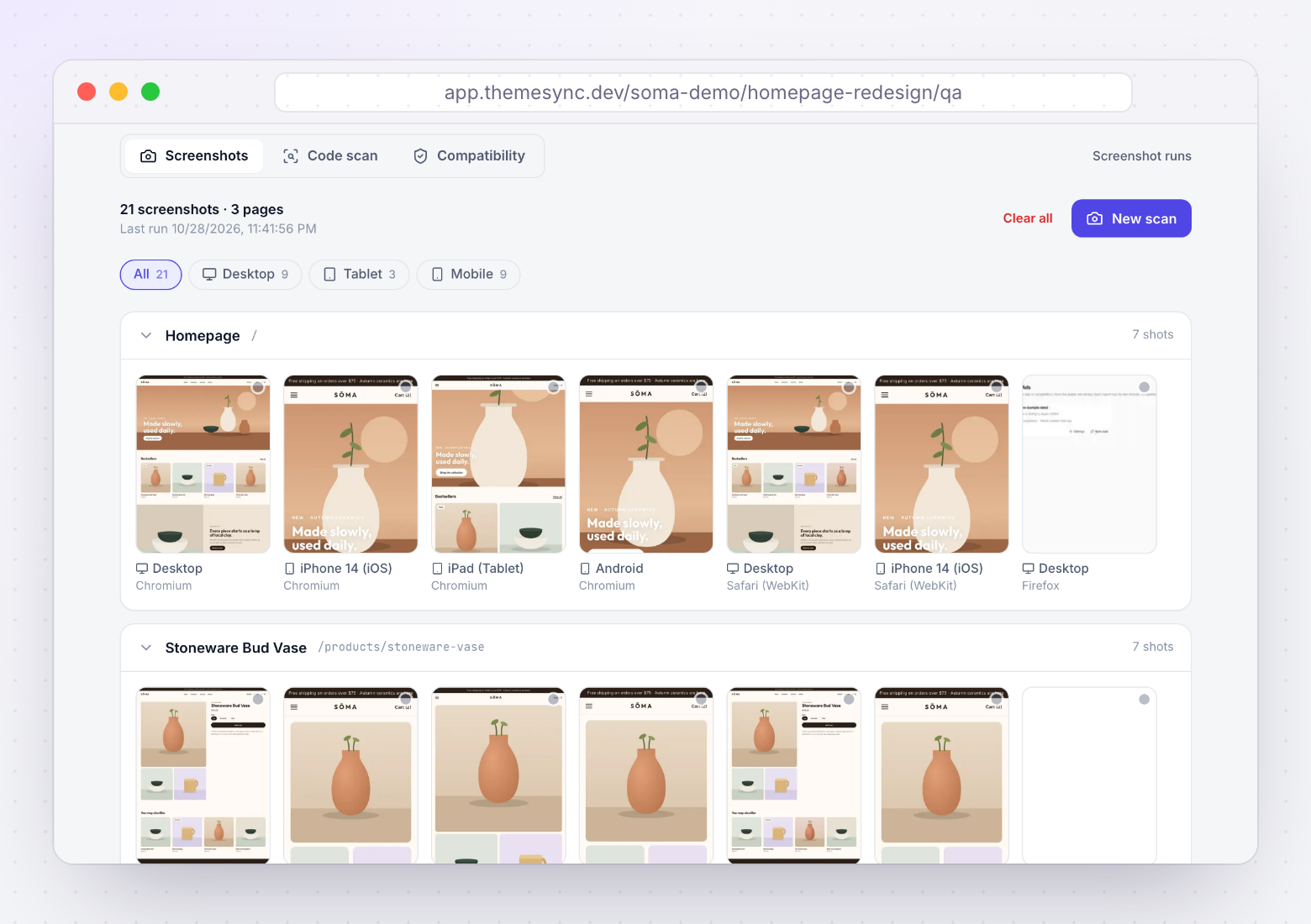
- Every template captured, not one example per page type. Count your templates and compare.
- Three engines: Chromium, Firefox, WebKit.
- Three viewports minimum: desktop, tablet, small phone. 390px is where things break.
- Don't forget the boring ones: search results, empty search, 404, cart empty and full, account pages, password page if the store is gated.
- Long-content states: longest product title in the catalogue, longest variant name, a 40-character customer name.
Gates 3 & 4: apps and content
Gate 3 — Apps behave on the theme you’re shipping
- App embeds enabled on this theme, not just on the old live one. They're per-theme and they don't come across.
- App blocks present and correctly ordered. Check
block_order— a reviews block above the buy button is a conversion problem. - First-visit state tested in a private window: cookie banner, popups, and what they cover.
- Overlay stacking checked on a small phone. Banner plus chat bubble plus sticky bar is the worst case and it's common.
- Unused apps flagged to the merchant. Often the cheapest performance win available.
Gate 4 — Content and coverage
- No placeholder text anywhere. Grep for
lorem,TBC,Sample. - Every template has real content. Blank sections from missing metafield values or unset picker references.
- Metafield definitions exist and are populated on the store that will run the theme.
- Images have alt text. Accessibility, and it's cheap to do at this stage.
- Legal pages present: privacy, terms, shipping, returns — usually the client's job and usually late.
Gates 5 & 6: performance and SEO
Gate 5 — Performance baseline
- Mobile scores recorded for home, product, collection and cart. Median of three runs.
- Theme-only vs live-with-apps measured, so app cost is documented rather than argued about later.
- Hero image is eager, not lazy, with high fetch priority. Lazy-loading the LCP element is a common self-inflicted wound.
- Explicit width and height on images so nothing shifts.
- Baseline written down and sent. This is what protects you in six months when apps have been added.
Gate 6 — SEO and redirects
The gate with the longest tail of consequences, because a mistake here costs traffic for months and is hard to attribute.
- Redirects for every changed URL. If handles or collection structures changed, each old URL needs a redirect. This is the single most damaging item on the list to miss.
- Titles and meta descriptions present and not duplicated across templates.
- One
h1per page, and heading order sane. - Canonical tags correct, especially on filtered collections and alternate templates.
- Structured data validates — product, breadcrumb, organisation.
- robots.txt and sitemap not blocking anything they shouldn't.
| Detection | Blast radius | Cost to fix later | |
|---|---|---|---|
| Code correctness | Instant | Page down | Low |
| Visual QA | Client finds | One template | Medium |
| App behaviour | After launch | Conversion | Medium |
| Content coverage | Client finds | Credibility | Low |
| Performance | Weeks later | Ranking | High |
| SEO & redirects | Months later | Traffic | Very high |
| Sign-off record | In a dispute | Getting paid | Impossible |
Gates 7 & 8: sign-off and closing out
Gate 7 — Recorded sign-off
- Approval per page and per viewport, not one "looks good" for the whole site.
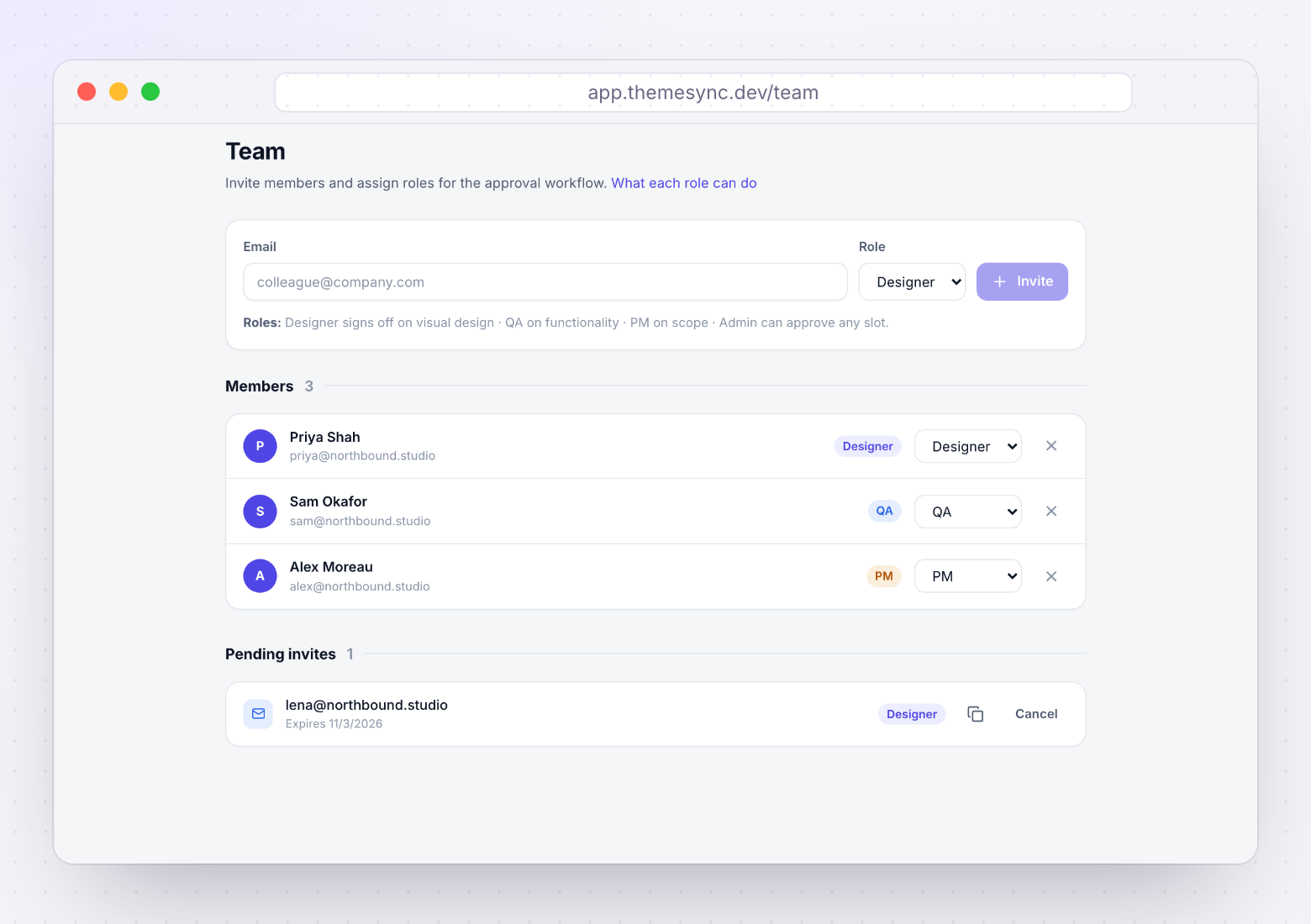
- Split by role: design approves visual, QA approves functional and cross-browser, client approves content and commercial fit.
- Approvals refer to a state that still exists. If a page changed after approval, re-request it.
- Outstanding feedback resolved or explicitly deferred. Deferred is fine; silently open is not.
Gate 8 — Close it out properly
The gate most often skipped, and the one clients remember.
- Rollback point exists. Live theme duplicated or committed before you published.
- Credentials revoked, and the client told in writing that you've done it.
- Review themes deleted so the store isn't left near the 20-theme limit.
- Documentation handed over: which metafields drive which sections, which apps are load-bearing, how to edit the things they'll want to edit.
- Repo access transferred or archived, per whatever the contract says.
- Performance baseline and QA evidence sent. Turns a handoff into a report.
How ThemeSync covers the gates
- Gate 1: Theme Check runs alongside your pushes, plus a static compatibility scan for missing vendor prefixes with file and line.
- Gate 2: every mapped template captured across Chromium, Firefox and WebKit at desktop, tablet and phone sizes in one run.
- Gate 3: app blocks and dynamic sources are detected in your templates, and previews render on the client's real store so storefront-wide app behaviour shows up.
- Gate 4: template mapping means every template opens on a real page, so blank sections and missing content are visible during review.
- Gate 5: performance runs against your mapped templates on mobile and desktop, with history kept per theme so the baseline is recorded rather than remembered.
- Gate 7: approvals are stored per page, per viewport and per role, and revoked automatically when a page is re-captured.
- Gate 8: credentials are held per store so revoking is one action, and the store's full theme list is visible so review themes actually get deleted.
Gate 6 stays largely manual — redirects and structured data need judgement about the specific store, and that's the gate worth spending your own attention on.
Takeaways
- Order gates by cost of discovery: automated checks first, human attention last.
- A gate is passed or not passed. Advisory gates stop being gates.
- Capture every template, not one per page type — and don't skip 404, search and empty states.
- Enable app embeds on the theme you're shipping, and test first-visit state on a small phone.
- Redirects for changed URLs are the most damaging single item to miss.
- Record a performance baseline. It's what protects you when apps get added later.
- Sign-off per page, per viewport, per role — and only against states that still exist.
- Revoke access, delete your review themes, hand over documentation. Cheap, rare, remembered.
Run the gates without assembling the tooling
ThemeSync covers lint, cross-browser capture, performance and recorded sign-off against the same theme — so a handoff comes with evidence attached.
Try ThemeSync Free →