Deploying WooCommerce Child Themes from Git Without FTP
FTP deployment is a partial upload waiting to happen on a live store. Here is what to use instead, and why WooCommerce needs a different approach from Shopify.
Why this matters more on WooCommerce than Shopify
Shopify and WooCommerce fail differently, and it changes how careful a deploy has to be.
A Shopify theme is Liquid, rendered by Shopify's platform. Push a broken file and you get a rendering error on a template. Bad, recoverable, contained.
A WooCommerce child theme is PHP executing on the client's server. A syntax error in functions.php doesn't produce a broken layout — it produces a fatal error, and it can take down the entire site including wp-admin. Now you can't log in to fix it, and your remaining option is the file system.
Add FTP's lack of atomicity and the failure mode is genuinely bad: connection drops at 60% of the upload, the site is running new template files against an old functions.php, and every request is a white screen. On a store taking orders.
What to do instead
The principle is the same one that makes Shopify deploys safe: prepare completely, then switch. Never let the live site run a half-updated theme.
- 1. Commit to gitsource of truth
Your child theme in version control. Every deploy traceable to a commit.
- 2. Packageone artifact
Build the child theme into a single archive — one artifact, not 200 files.
- 3. Upload authenticatedrevocable auth
Send the package over HTTPS using an application password, not FTP.
- 4. Activateatomic
Unpack and switch in one step so the site never serves a mixed state.
- 5. Verifyalways
Load the shop, a product, and the cart. Confirm admin still works.
Application passwords instead of FTP credentials
WordPress application passwords are per-application credentials generated on a user account. They're used for authenticated REST requests and — importantly — they can be revoked individually without changing anyone's login.
WP Admin → Users → your user → Application Passwords
  Name: "ThemeSync deploy"
  → generates a credential you use once and store encrypted

# Revoke it independently when the project closes.
Compared with FTP this is a strict improvement on three axes: it's scoped to an application rather than the whole file system, it's revocable without disrupting the client, and it travels over HTTPS.
Child theme discipline
Most deploy pain on WooCommerce traces back to a theme that shouldn't have been edited directly. Worth restating because it's still common.
- Never edit the parent theme. The next parent update overwrites your work with no warning and no record of what was lost.
- Only override what you're actually changing. Copying every template into the child theme means every parent bug fix stops reaching the site.
- Keep
functions.phpsmall and defensive. It's the file that takes the site down. Guard against missing functions and classes. - Version the child theme. Bump
Versionin the stylesheet header on each deploy so caches invalidate and you can tell what's running. - Never use the admin file editor on a live site. No syntax check, no backup, no record. It's the most common cause of a locked-out WooCommerce store.
<?php
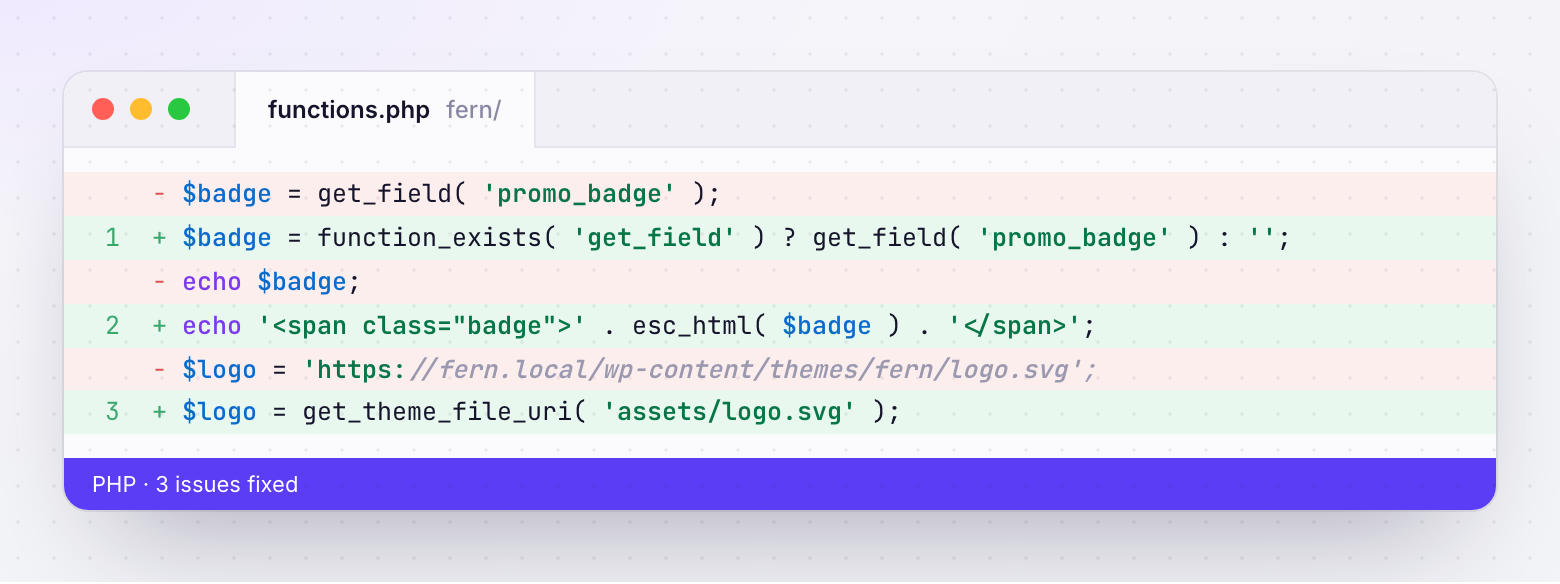
// Bail if WooCommerce isn't active — avoids fatals on plugin deactivation
if ( ! class_exists( 'WooCommerce' ) ) {
    return;
}

add_action( 'wp_enqueue_scripts', function () {
    $theme = wp_get_theme();
    wp_enqueue_style(
        'child-theme',
        get_stylesheet_directory_uri() . '/style.css',
        array( 'parent-style' ),
        $theme->get( 'Version' )   // cache-bust from the version header
    );
} );
The class_exists guard matters more than it looks. If a merchant deactivates WooCommerce to debug something and your child theme assumes it's present, you've turned their troubleshooting into a fatal error.
Staging, and why local isn’t enough
Local development is necessary and insufficient. A local WooCommerce install differs from the client's production site in ways that matter:
| Differs in | Why it breaks things |
|---|---|
| PHP version | Syntax or deprecations that pass locally and fatal in production |
| Installed plugins | Production has thirty; your local has four |
| Real product data | Variable products with 40 variants, unusual attributes, long names |
| Payment and shipping config | Checkout paths that can't be exercised locally |
| Caching and CDN | Asset versioning and cache invalidation behave differently |
| Server config | Rewrite rules, memory limits, execution time |
A staging site that mirrors production plugins and PHP version catches most of it. Deploy there first, run the same checks you'd run on live, and only then promote.
Getting a WooCommerce theme reviewed by a client
WordPress has no equivalent of Shopify's preview-theme parameter. There's no supported way to have one visitor see a different theme on the live site, which leaves the usual awkward options:
- A staging URL. Works, but it's a different domain with different data, so "the images look wrong" may be a staging artifact rather than a real issue.
- Theme switcher plugins. Let a session preview another theme. Extra code on a live site, and an extra thing to remember to remove.
- Screenshots. Fine for design review, useless for anything interactive.
Whichever you pick, the review problems are the ones that show up on every platform: the client reviews on desktop only, feedback arrives as a recording or a vague email, and nobody can tell which round an item came from.
The fixes are platform-independent — give them a defined list of pages to review, collect comments pinned to the element rather than described, capture viewport and browser automatically, and record approval per page and viewport rather than accepting "looks good."
How ThemeSync handles WooCommerce
- Deploys go over authenticated HTTPS, not FTP. WordPress application passwords are stored encrypted per site and used to install the theme as a package, so the site never serves a half-uploaded state.
- Git is the source of truth. The child theme lives in a branch and deploys come from commits, so every release is traceable and rollback is redeploying an earlier one.
- Assets can be served from a CDN endpoint during review, so preview rendering doesn't depend on the client's server config or caching.
- The same QA tooling applies. Cross-browser screenshot capture, code scanning and performance runs work the same way as on Shopify, so a mixed portfolio has one process.
- Client feedback and sign-off are identical. Pinned comments and approvals per page, viewport and role — the same workflow whether the store is Shopify or WooCommerce.
- Credentials are revocable per site and held centrally, so offboarding is one action rather than an audit.
Takeaways
- WooCommerce themes are PHP on the client's server — a bad deploy can take down the site and the admin.
- FTP has no transaction. A dropped connection leaves a mixed file set, which for PHP usually means a fatal error.
- Package the theme, upload it authenticated over HTTPS, then activate. Prepare fully, then switch.
- Use WordPress application passwords on a dedicated deploy user. Revocable, scoped, no shared logins.
- Never edit the parent theme or use the admin file editor on a live site.
- Guard
functions.phpwithclass_existschecks so deactivating a plugin doesn't fatal the site. - Local dev isn't staging. Match PHP version and plugins, and deploy to staging with the same pipeline.
- WordPress has no preview-theme parameter — be explicit with clients about what staging does and doesn't represent.
One workflow for Shopify and WooCommerce
ThemeSync deploys WooCommerce child themes from git over authenticated HTTPS, and runs the same QA, feedback and sign-off process across both platforms.
Try ThemeSync Free →