BugHerd, Marker.io, Pastel or Userback for Shopify Theme Reviews?
Part of The Theme Ops Stack, Consolidated. Website feedback tools let clients comment on a site. For an unreleased Shopify theme, the harder problem is having a site to comment on.
About this series
This is part of The Theme Ops Stack, Consolidated, a series on the tools agencies combine for theme work and which ones ThemeSync replaces. Each article says what the existing tool does better and when to keep it.
- The QA spreadsheet (Google Sheets, Airtable)
- Website feedback tools (this article)
- WordPress staging plugins for WooCommerce theme review
- Shopify's GitHub integration, Theme Kit and backup apps
What these tools are
BugHerd, Marker.io, Pastel and Userback are visual feedback tools for websites. They differ in emphasis, but the basic model is shared: a comment layer sits on top of a website, a reviewer clicks an element or draws a box, and the tool records the comment with a screenshot and some technical context.
- BugHerd is built around a kanban task board. Each pin becomes a task you can assign and move through columns.
- Marker.io focuses on sending reports straight into issue trackers like Jira, Linear, GitHub and Asana, with console and network logs attached.
- Pastel is closer to a lightweight review tool: share a link, collect comments, mark rounds as done.
- Userback covers feedback, bug reports and user feedback widgets, with session replay and video options.
Features and plans change often, so check each vendor's current pricing and feature list before you decide. We wrote a broader comparison in Figma-like feedback tools compared.
What they do better than ThemeSync
Being fair about this matters, because for some teams these tools are the right choice.
- Task management. Assignees, due dates, priorities, custom statuses and boards. ThemeSync groups comments by page with reply threads and approvals, but it isn't a task manager.
- Integrations. Two-way sync with Jira, Linear, Trello, Asana, ClickUp, GitHub and others is the core of Marker.io and a big part of BugHerd and Userback. ThemeSync offers a JSON export of comments; it doesn't push into those tools, and it doesn't send Slack or email notifications.
- Technical capture. Console logs, network requests, session replay and screen recordings, depending on the tool. That's useful for bug reports from live sites.
- Any website. Marketing sites, web apps, headless storefronts. ThemeSync only covers Shopify and WooCommerce themes.
- End-user feedback widgets. Userback and Marker.io can collect feedback from real visitors on a live site. That's a different job from client review.
The Shopify-specific problem: what are they commenting on?
A feedback tool needs a page to sit on. For an unreleased Shopify theme, that page is a preview, and previews are the fragile part:
- Preview links depend on the theme existing. A
?preview_theme_id=link stops working when the theme is deleted. Development themes are removed after about seven days without activity. See why your dev theme disappeared and how preview_theme_id works. - The preview session lives in the browser. Clients click around, open a link in a new tab or switch device and land on the live theme without noticing. Their comments then describe the wrong theme.
- Draft themes cost something. Pushing an unpublished theme to the client's store for review puts your source on their store and uses one of the 20 theme slots.
- Getting the comment layer in. A script added to
theme.liquidhas to be removed before go-live. An extension means asking the client to install something. Proxy-based links can interfere with Shopify's preview cookies and redirects.
None of that is the feedback tool's fault. It's just that "comment on a site" assumes the site is there and stable, and for a theme in progress it often isn't.
The result shows up in the comments themselves. A client writes "the banner is missing" and the developer can't reproduce it, because the client was looking at the live theme. Or the preview link returns an error on day nine and the round stalls while someone pushes the theme again and sends a new link. When that happens mid-round, comments from before and after the new link point at different theme ids, and it takes time to work out which ones still apply.
- A preview that stays upThemeSync
The unreleased theme running somewhere for the whole review window, not deleted after idle days.
- Access without setupThemeSync
Client opens a link on any device and stays on the right theme, no extension or Shopify login.
- Comments with contextboth
Pinned to the element, with page, browser, device and viewport attached.
- Task tracking and integrationsfeedback tools
Assignees, boards, and sync into Jira, Linear, Trello or Asana.
Side by side for theme review
| Feedback tools | Themesync | |
|---|---|---|
| Hosts a preview of the unreleased theme | No | Yes |
| Keeps dev theme alive during review | No | Yes |
| Pinned comments with device context | Yes | Yes |
| Per page approval by device | Varies | Yes |
| Task boards, assignees, due dates | Yes | No |
| Jira / Linear / Trello / Asana sync | Yes | JSON export |
The rows on top are what a Shopify theme review needs before comments are possible. The rows at the bottom are where feedback tools are ahead.
Running a review round on a development theme
Whichever comment tool you use, a theme review round goes better with a little structure. This is the routine we'd suggest:
- Freeze what's being reviewed. Decide which commit or version the round covers. If the theme keeps changing during the round, comments end up describing code that no longer exists.
- Send one link, with an end date. One review link per round, with an expiry that matches the deadline you agreed. Old links from earlier rounds should stop working, so nobody comments on round one during round three.
- List the pages you want reviewed. Homepage, a product, a collection, cart, and any alternate templates. Clients who are told "have a look around" review the homepage and stop.
- Say which devices. Ask the client to review on their own phone as well as desktop. Most of their customers will see the store on a phone, and the client's own phone is the one they'll check after launch.
- Reply in the thread, not in email. Answers to "can this be bigger?" belong next to the comment, so the next person sees the decision.
- Close the round with approvals. A round is done when each page has an approval for each device, or an open comment explaining why not.
Feedback tools can support most of this if the preview behind them stays up. The guide to presenting a theme to clients covers the conversation side: how to introduce the round and set expectations about what's still in progress.
When to keep your feedback tool
- Your developers live in Jira or Linear and every client comment must become a ticket automatically.
- You run retainers on live stores and want clients to report bugs from the live site at any time, not in review rounds.
- You need console logs or session replay to debug client-reported issues.
- Most of your work isn't themes: marketing sites, apps, headless builds.
A reasonable split for an agency: ThemeSync for theme build and redesign review rounds, the feedback tool for post-launch bug intake on live sites. If you do that, tell the client which link to use for which, or comments end up in both places. Our piece on why Loom videos make a bad bug tracker covers the same problem with video feedback.
How ThemeSync handles client review
ThemeSync starts one layer lower. Cloud Preview runs the theme as a development theme with shopify theme dev --theme-editor-sync in the cloud and writes assets/theme-keepalive.css every 23 hours so Shopify doesn't remove it while the client is reviewing. Nothing is pushed to a draft theme on the client's store.
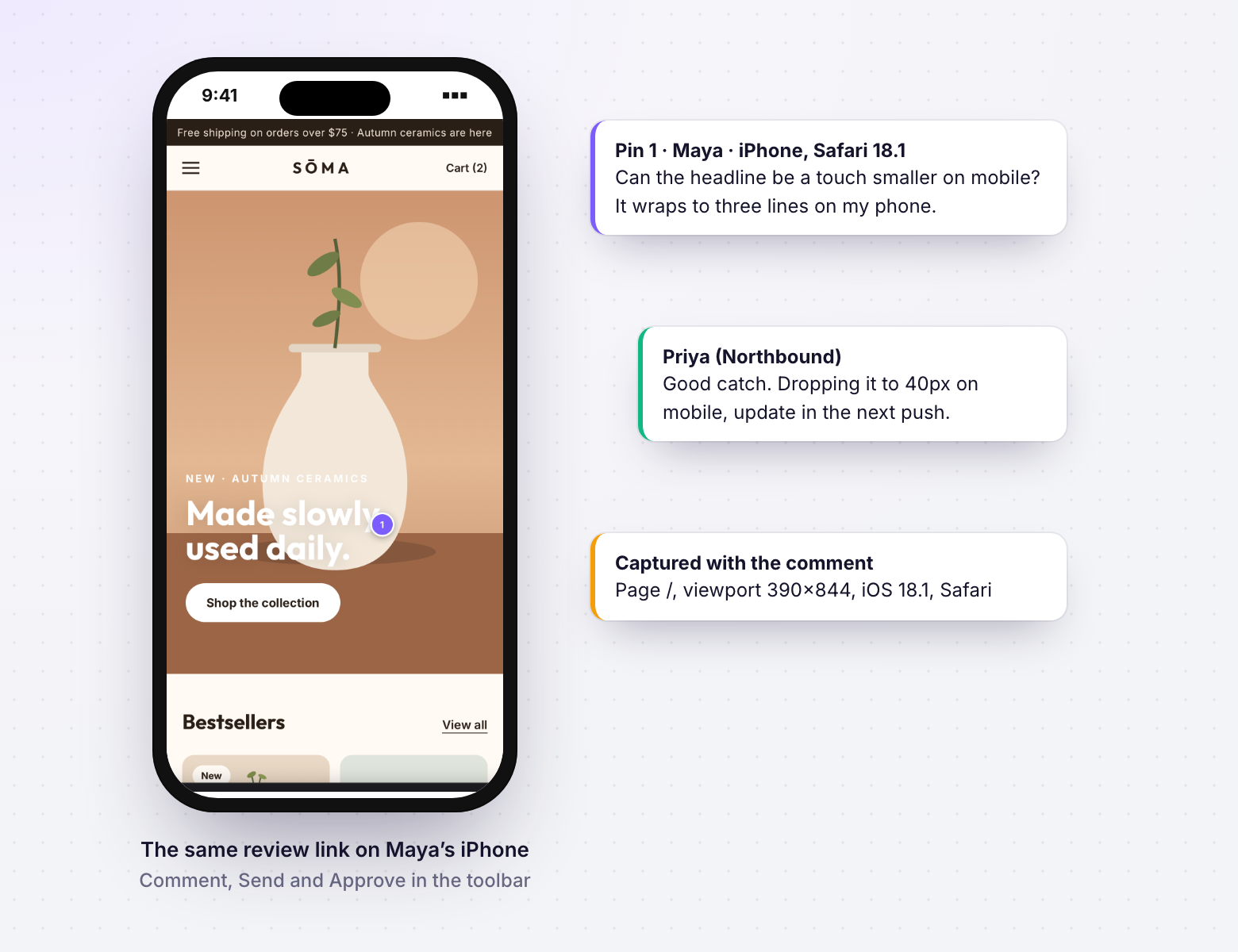
Client Feedback then gives you a review link per round, with an expiry from 24 hours to 30 days, or none. Clients need no account. The overlay toolbar has Browse and Comment modes: click to pin a comment, or drag to select an area. Each comment records the browser, device and viewport and keeps an annotated screenshot.
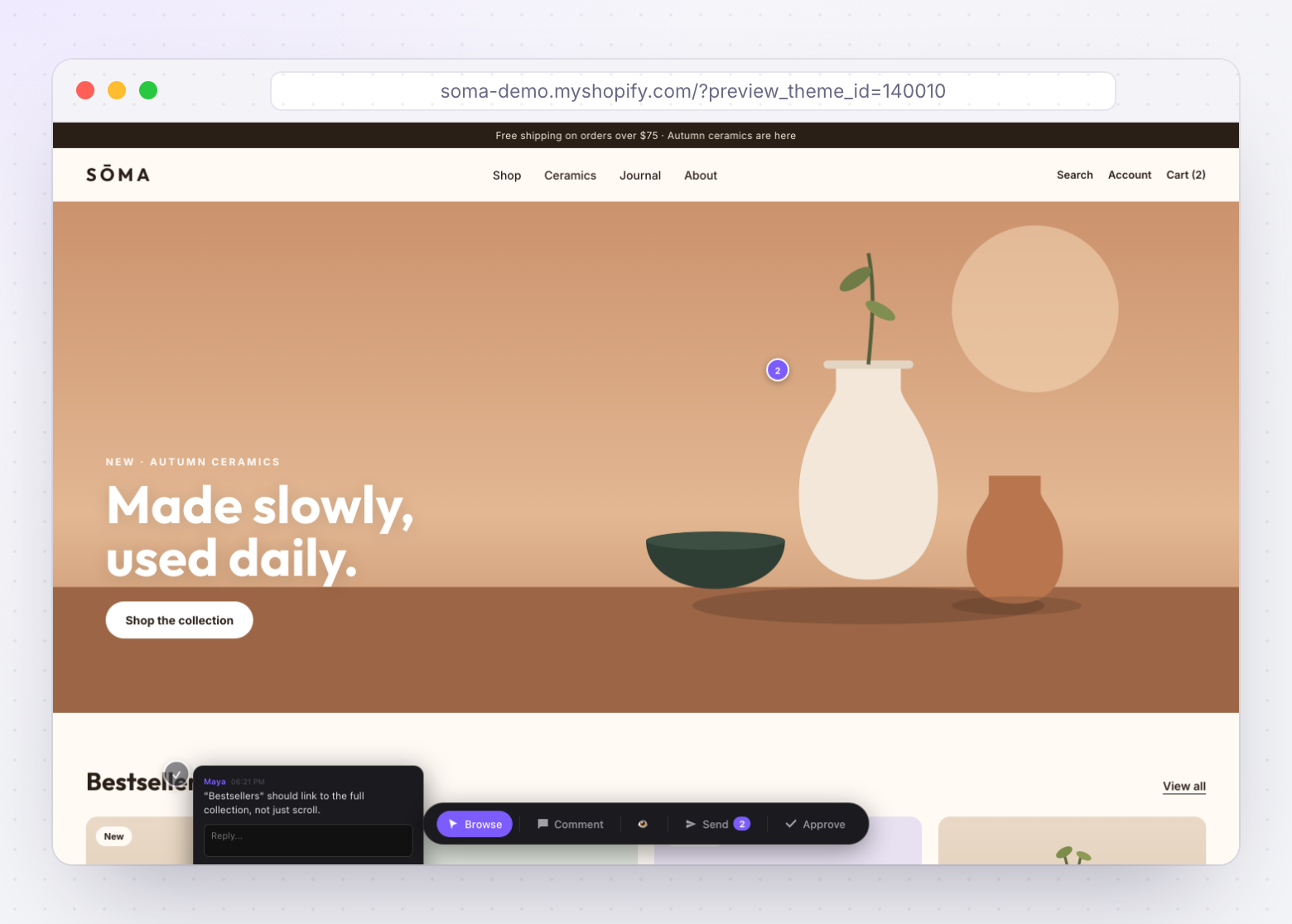
- Reply threads on each comment, grouped by page in the dashboard.
- Approve this page for your device from the overlay. A page can't be approved while it has open comments.
- Template Mapping lets the client open alternate templates through the same portal.
- JSON export if you want to move comments into another tool by script.
- Plans: Pro includes one open feedback link per theme; Agency has unlimited links plus team roles and sign-off.
See a better way to collect client feedback for how to run the rounds themselves.
Takeaways
- BugHerd, Marker.io, Pastel and Userback are comment layers; you still need a stable preview for an unreleased Shopify theme.
- They're ahead on task management, issue tracker integrations, console capture and session replay.
- For Shopify theme review, the common failures are expired dev themes and clients slipping back to the live theme.
- ThemeSync hosts the preview on a kept-alive development theme and adds comments and per page approval on top.
- Keep your feedback tool for live-site bug intake and Jira or Linear workflows.
Give clients a theme preview that stays up
ThemeSync runs the theme on a kept-alive development theme and lets clients comment and approve pages without an account.
Try ThemeSync Free →