WooCommerce 11.3: What Theme Developers Need to Test
WooCommerce 11.3 ships the week of November 9 with new block styling controls, an On-Sale Badge that shows savings, and several quiet behaviour changes that can break custom themes and integrations.
The release in one minute
WooCommerce 11.3 is a large release: the pre-release post counts 1,310 commits from 117 contributors. For theme developers it splits into two groups.
Things your clients will notice: more styling controls on product blocks, an On-Sale Badge that can show an amount or percentage saved, smoother swiping in the Product Gallery block on mobile, and a setting for the refund and returns policy page.
Things your code may notice: a change to what the Shop page reports as its template, a rewrite of how the Single Product block passes context, a shared filtering engine for Product Collection, stricter refund validation in the REST API, and removal of the old MCP endpoint.
Block and design changes
Styling controls on product blocks
Product, Featured Product, Featured Category and Product Categories List blocks gain colour, spacing and border controls. Featured Category can now sit inside a Terms Query block, and Product Result Count and Catalog Sorting get more options.
For agencies with block themes, this means clients can now restyle these blocks in the editor. If your theme sets these styles in theme.json or CSS, check that user-chosen values override them the way you expect, and that your CSS doesn't fight them with high specificity.
On-Sale Badge shows savings
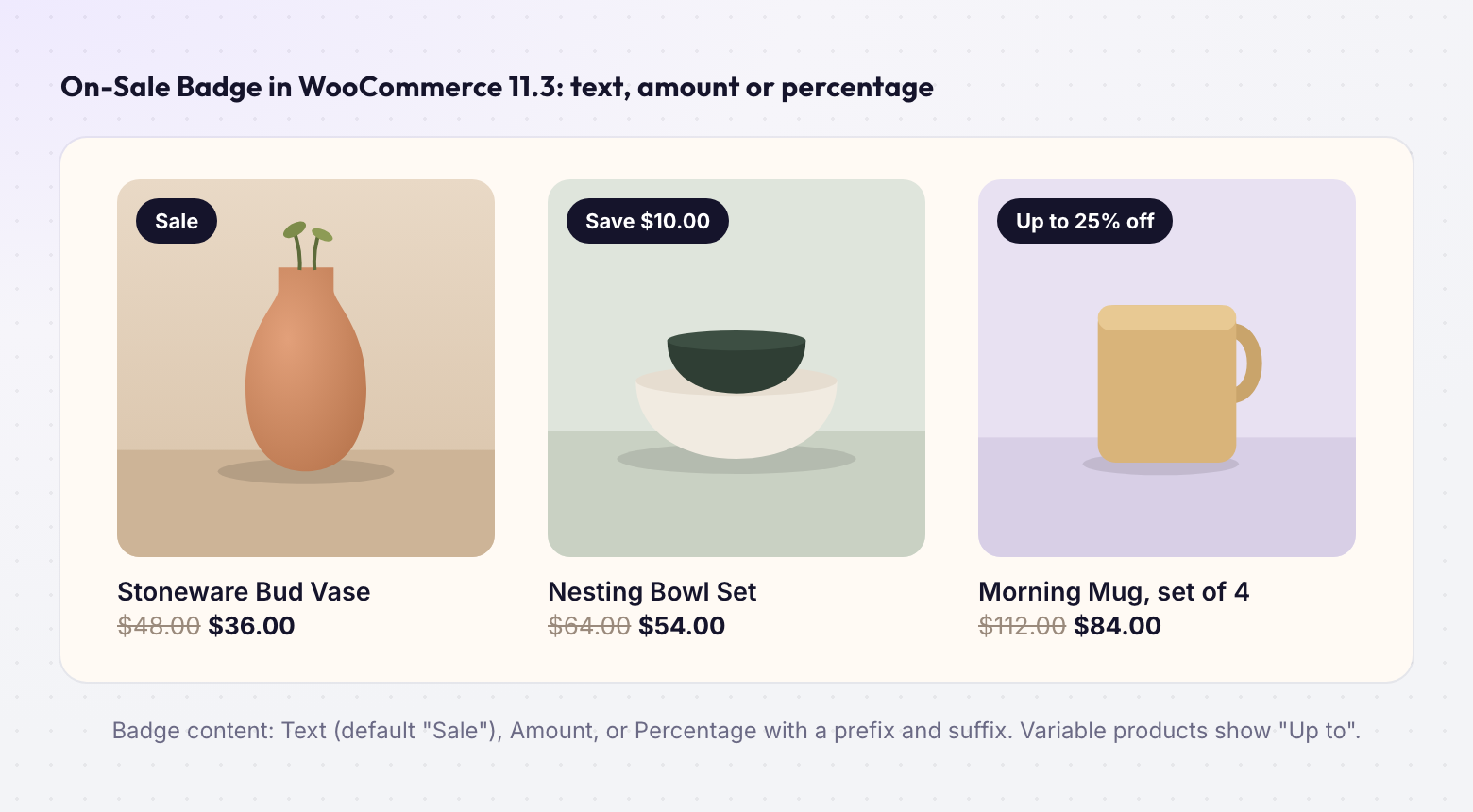
The badge can now show text, an amount ("$5.00") or a percentage ("25%"), with a prefix and suffix. Variable products show the maximum discount with "Up to", and the badge updates when a variation is selected. The default is still "Sale", so existing badges don't change until someone edits them. Expect clients to ask for this before Black Friday.
Purple is broadly available
Woo's official block theme, Purple, is now in the WordPress theme directory and the Woo marketplace, and its development moved into the WooCommerce monorepo. It's worth installing on a local site as a reference for how core expects block templates to be built.
Breaking change 1: the Shop page template
With a block theme active, WooCommerce now associates the Shop page with the Product Catalog template. Reading the Shop page's _wp_page_template meta returns archive-product even if a custom template is saved in the database. The saved value doesn't change; a filter overrides what you read.
$shop_id = wc_get_page_id( 'shop' );
get_post_meta( $shop_id, '_wp_page_template', true );
// Before 11.3: 'my-custom-template'
// From 11.3:   'archive-product'   (block themes only)
Who's affected: themes or plugins that pick a layout based on the Shop page's assigned template, and anything that syncs the REST API template field. Classic themes are not affected.
Breaking changes 2–5
Single Product block context
The Single Product block now passes the product to nested blocks through standard WordPress block context. The protected extract_single_product_inner_block_names() method and two properties are gone. Search your code for that method name; normal use of the block is unchanged.
Product Collection uses the Product Filters engine
For collections with filtering enabled that don't inherit the template query, URL filters now go through the same engine as Product Filters. If you modify generated meta_query or tax_query clauses through query_loop_block_query_vars, switch to modifying query arguments such as max_price. A new woocommerce_product_filter_params hook lets you rename or localise taxonomy filter parameters.
Products API: on_sale with include/exclude
- Returned 10, 13, 15, 16, 17, 18
- Product 10 is not on sale but was included
- Extra on-sale products leaked into the result
- on_sale=false with include ignored on_sale entirely
- Returns 13 only
- Products must be included AND on sale
- Matches how featured and type already behave
- Applies to /wc/v3/products, variations and the Store API
Example store from the release post: product 10 not on sale, products 13 to 18 on sale. If a theme section or headless front end relied on the old behaviour, re-test it.
REST refunds are validated
POST /wc/v3/orders/{id}/refunds now rejects line-item amounts that exceed the refund total or what remains refundable, returning HTTP 400 or 422 with a woocommerce_rest_* code. Integrations that treat any response as "refund created" need to check the status.
MCP endpoint removed
The deprecated /wp-json/woocommerce/mcp endpoint and its REST key connection are removed. MCP clients now connect through the WordPress MCP Adapter plugin with an application password.
The database update on large stores
11.3 adds a nullable payment_method column and an index to wc_order_stats, then backfills existing orders through Action Scheduler in batches of 500. On MySQL 8 with InnoDB the column is added instantly, but building the index reads every row. The release post estimates about 47 MB of index per million orders. On MySQL 5.7, adding the column rebuilds the table.
wc_orders into an Analytics query and use a bare payment_method, MySQL now reports the column as ambiguous and the Orders report shows an empty table. Prefix the column with the table name.
A test plan before you update a client store
- Copy the store to staging or a local environment with production-like data.
- Update to the 11.3 beta or release candidate with WooCommerce Beta Tester 4.0 (WordPress 6.8 or newer).
- Search theme and custom plugin code for
_wp_page_template,extract_single_product_inner_block_names,query_loop_block_query_varsandwoocommerce_json_search_found_customers. - Click through Shop, a sale collection, a variable product, cart and checkout on desktop and iPhone.
- Run any integration that creates refunds or queries products with
on_sale. - Open Analytics → Orders and check the report still loads.
- Schedule the production update outside BFCM, at a quiet time if the store has many orders.
Testing theme changes with ThemeSync
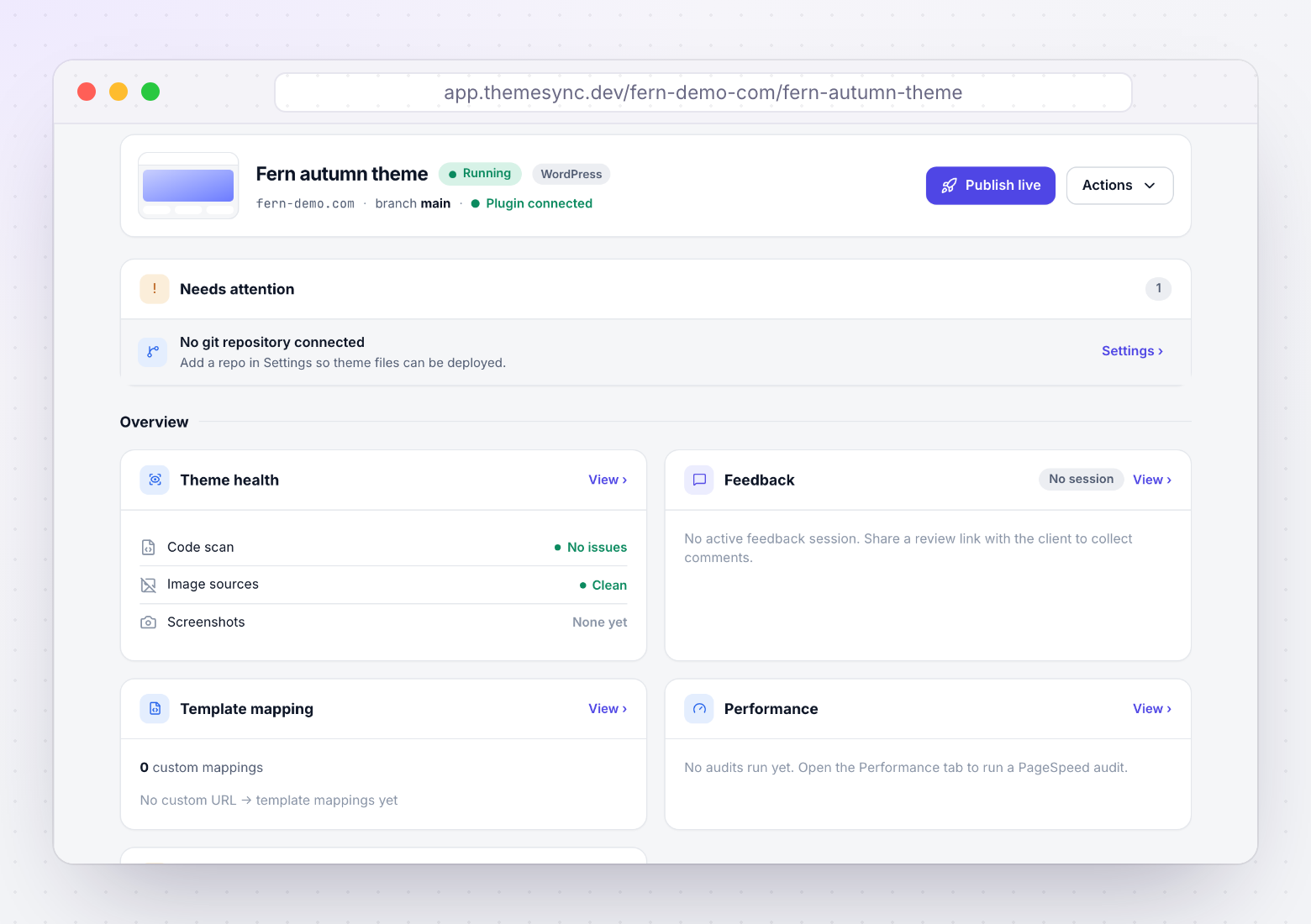
ThemeSync's WooCommerce support previews a theme on the real site: the Theme Sync plugin swaps in the preview theme only for requests carrying a signed preview token, so visitors keep seeing the live theme. For an 11.3 update that helps with the theme half of the test plan:
- Capture the Shop, product and cart pages in Chromium, Firefox and WebKit before and after the update, and compare them side by side.
- Run the compatibility scan, which flags plugin dependencies, hardcoded development URLs, unescaped output and missing
theme.jsonin block themes. - Send the client a review link to approve the sale badge styling on their own products.
Plugin and PHP updates still belong on staging. ThemeSync covers theme review, not infrastructure testing.
Takeaways
- WooCommerce 11.3 is due the week of November 9, 2026.
- Clients get block styling controls and an On-Sale Badge that shows savings.
- Under a block theme the Shop page now reads as
archive-product. on_salecombined withinclude/excludenow returns the intersection.- REST refunds can return 400/422 instead of creating inconsistent records.
- Hold production updates until after BFCM and plan the database update on large stores.
Preview WooCommerce theme changes on the real site
ThemeSync previews themes on your production WordPress site with a signed token, captures screenshots across browsers and collects client sign-off.
Try ThemeSync Free →