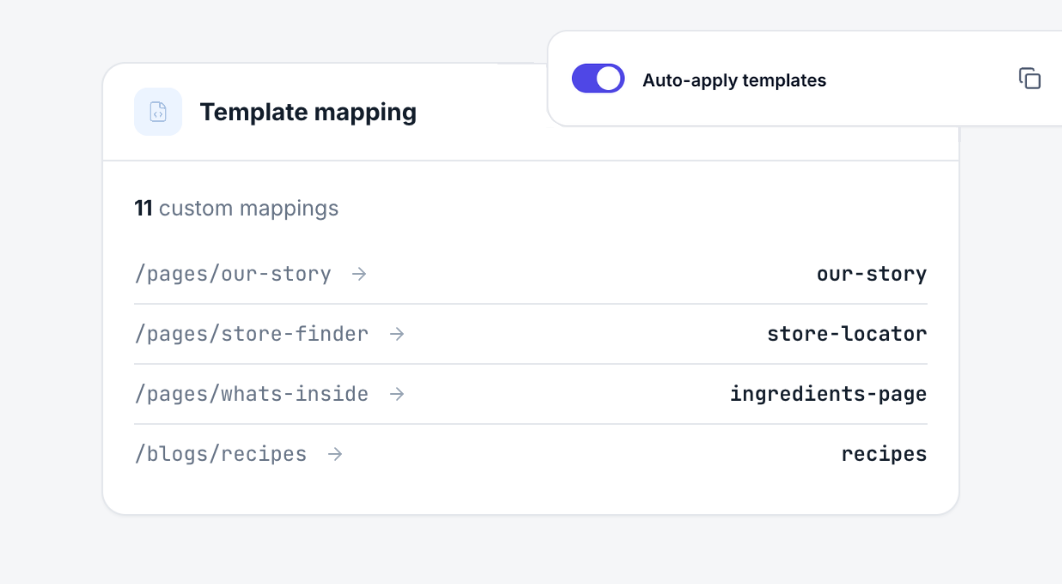
Template mapping
The right template on the right page.
Map alternate templates to real products, collections and pages. Your client just browses the store and sees your work.
Auto-apply
Flip one switch. Every mapped page just works.
Auto-apply loads the right template on your dev theme whenever someone visits a mapped page. The live store stays exactly as it is.
- Pick pages from the store's real content
- Your theme's templates, listed for you
- Turn it off and everything is back
Rules
One rule for a whole collection. Or a whole blog.
Every product in Summer gets the lookbook template. Every post in Recipes gets the recipe layout. No page-by-page busywork.
- Products in a collection
- Articles in a blog
- Mix rules with single-page mappings
Client portal
One link to every page worth reviewing.
Share a portal that lists each mapped page. The client taps a card and lands on the right template.
Goes well with